
Unlocking the Power of iOS 26.3: New Features and How to Use Them
Introduction to iOS 26.3
iOS 26.3 is a refinement-focused update that prioritizes smoother device switching, improved privacy controls, subtle personalization tweaks, and critical security fixes. While this release is lighter on major headline features, it delivers practical upgrades that improve everyday usability and strengthen system protection. This guide highlights the most important additions and explains how to use them.
Seamless Move from iPhone to Android
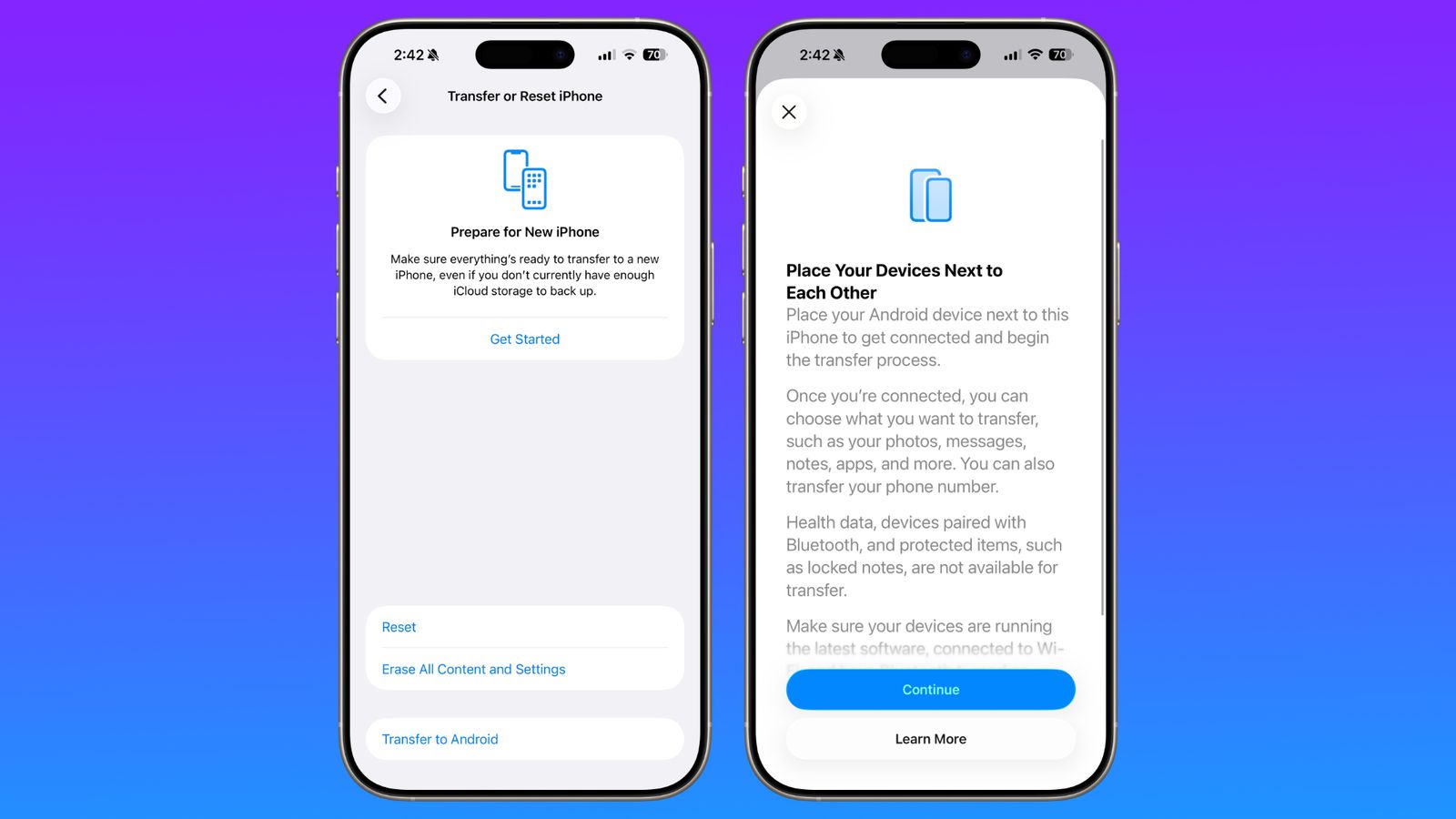
This update introduces a built-in migration tool designed to simplify switching from an iPhone to an Android device. Instead of relying on third-party apps, users can now place both devices close together and begin transferring supported data directly.
Supported transfers include:
- Photos and videos
- Messages and notes
- Installed apps
- Passwords and basic account data
- Phone number information
Some sensitive items—such as health records, Bluetooth pairings, and locked notes—remain excluded for privacy and security reasons.
Credit(https://www.macrumors.com)
New Weather Lock Screen Wallpapers
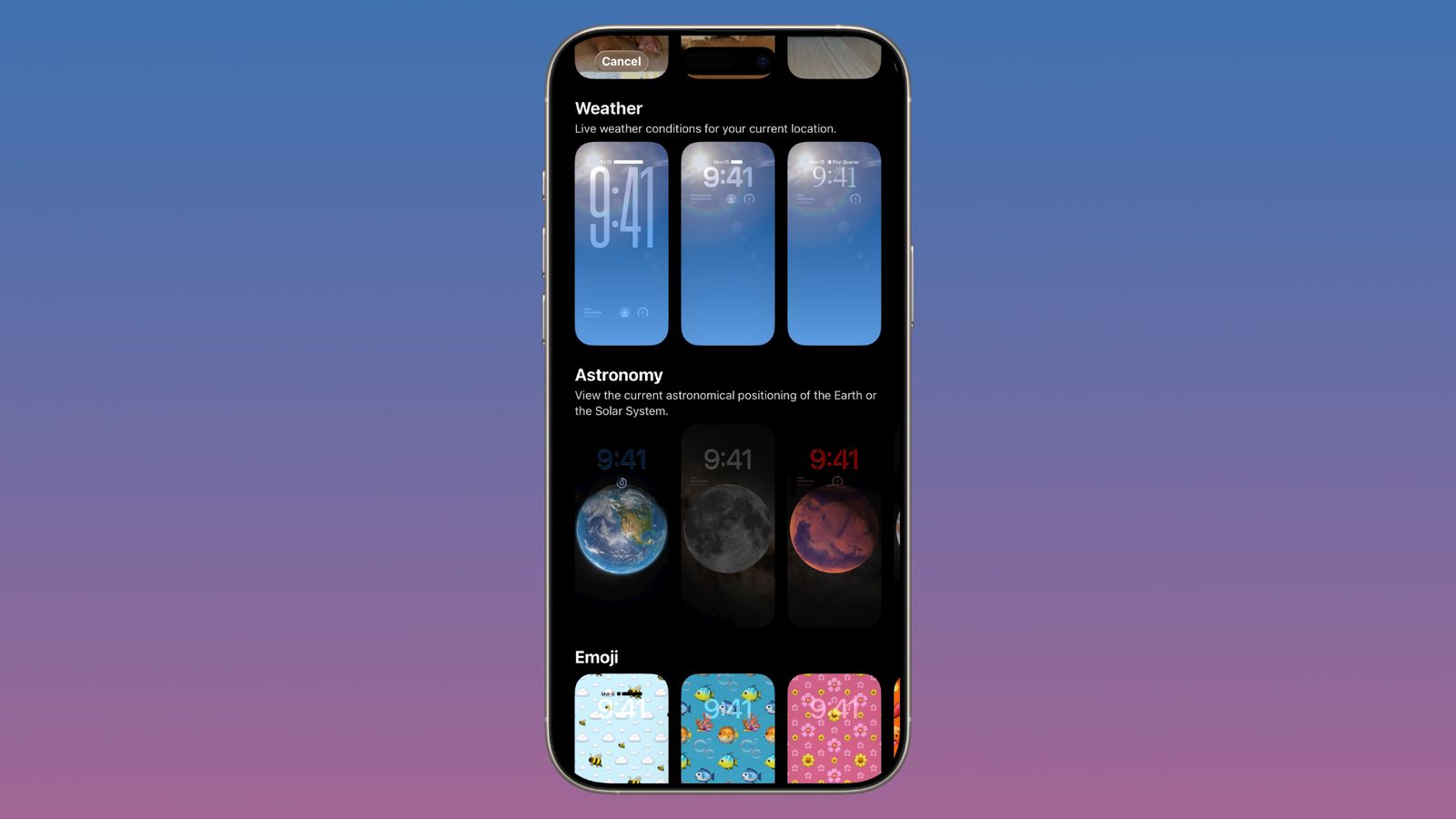
Weather wallpapers now have their own dedicated category within Lock Screen customization. Apple has added several ready-made layouts that combine typography and widgets to better display live weather information.
How to apply a Weather wallpaper:
- Open Settings.
- Select Wallpaper → Add New Wallpaper.
- Choose the Weather section.
- Select a preset style and adjust widgets as desired.
Credit(https://www.macrumors.com)
Reducing Carrier Location Precision
A new privacy control limits how accurately mobile carriers can determine your position. With the feature enabled, carriers receive only approximate area-level location instead of exact positioning.
How to enable this setting:
- Open Settings.
- Tap Cellular → Mobile Data Options.
- Turn on Limit Precise Location.
- Restart the device to apply the change.

Hints of Upcoming Apple Silicon
Internal references discovered in the release candidate suggest future Macs may soon feature next-generation Apple Silicon chips. While not visible to users yet, these hints indicate upcoming hardware announcements.
EU-Focused Wearable Improvements
Apple is expanding compatibility with third-party wearables in the European Union.
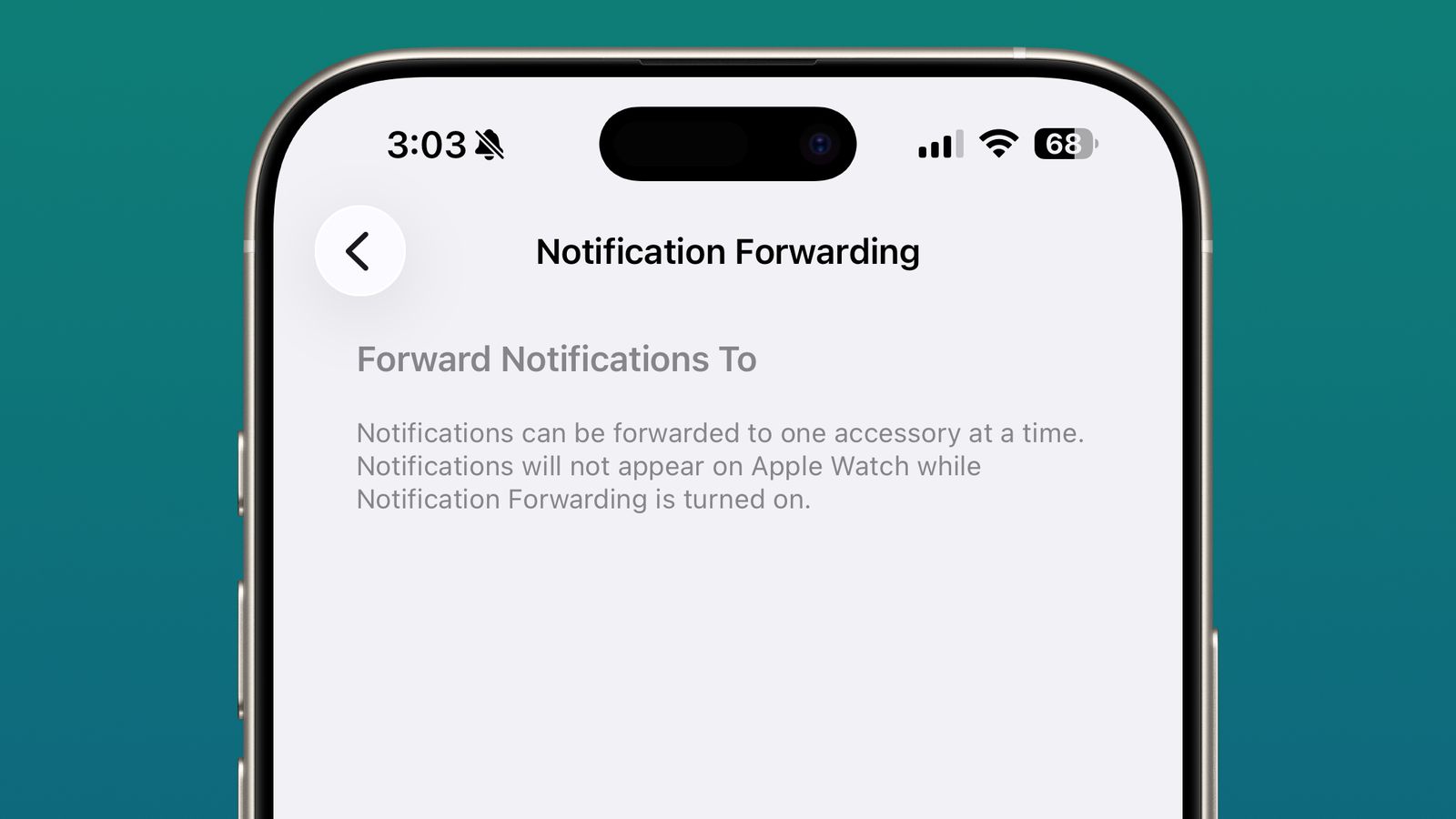
- Notification forwarding: iPhone alerts will be able to appear on compatible third-party smartwatches in a future update.
- Proximity pairing: Accessories can connect with a simple one-tap pairing experience similar to AirPods.

Security Enhancements
This update includes numerous vulnerability fixes across the system. Patches address issues that could allow malicious files to crash apps, expose sensitive information, or bypass security restrictions. Because these weaknesses are now publicly documented, updating promptly is strongly recommended.
How to Install the Update
- Open the Settings app.
- Go to General → Software Update.
- Download and install iOS 26.3.
Device Compatibility
iOS 26.3 is available for all iPhone models that already support iOS 26.
Conclusion
Although smaller in scope, iOS 26.3 delivers meaningful quality-of-life upgrades and essential security improvements. Updating ensures better privacy protection, smoother device transitions, and a more refined user experience.
Frequently Asked Questions
Is this guide beginner friendly?
Yes. This tutorial is written step-by-step for beginners.
Does this work in 2026?
Yes. This article is updated regularly with latest changes.
Where can I learn more?
Browse more tutorials on LoopGuy.


Comments (0)
No comments yet. Be the first to comment!
Leave a Comment