LinuxFo: A Free Linux System Information and Hardware Monitoring Tool
LinuxFo – Monitor Your Linux System Hardware, CPU, RAM, Storage and More
Looking for a convenient way to check your Linux system's hardware specifications, monitor resource usage, and troubleshoot hardware-related issues? LinuxFo is an open-source Linux system information and diagnostics application designed to bring essential system details into one desktop interface.
Instead of relying on multiple terminal commands and separate utilities, LinuxFo combines hardware information, operating system details, CPU and memory monitoring, storage diagnostics, sensors, camera discovery, and network information in a single application.
Built using Rust, GTK4, and libadwaita, LinuxFo aims to provide a consistent desktop experience across several Linux distributions, including Ubuntu, Debian, Fedora, Arch Linux, openSUSE, and Alpine.
What Is LinuxFo?
LinuxFo is a cross-distribution Linux system information centre that helps users understand their computer's hardware and operating system. It collects information through standard Linux kernel interfaces, including /proc, /sys, and udev where available, alongside optional system utilities.
Its main goal is to make hardware and system diagnostics easier without requiring users to remember multiple terminal commands.
Whether you want to inspect your processor, check memory consumption, investigate storage devices, or identify connected cameras, LinuxFo brings these capabilities together in one application.
Key Features of LinuxFo
1. Complete System Information

LinuxFo provides a central place to explore information about your Linux computer. It is designed to display hardware, operating system, device, and resource information through a unified desktop interface.
This can be useful when checking system specifications, troubleshooting compatibility problems, or identifying the hardware installed on your machine.
2. CPU and RAM Monitoring
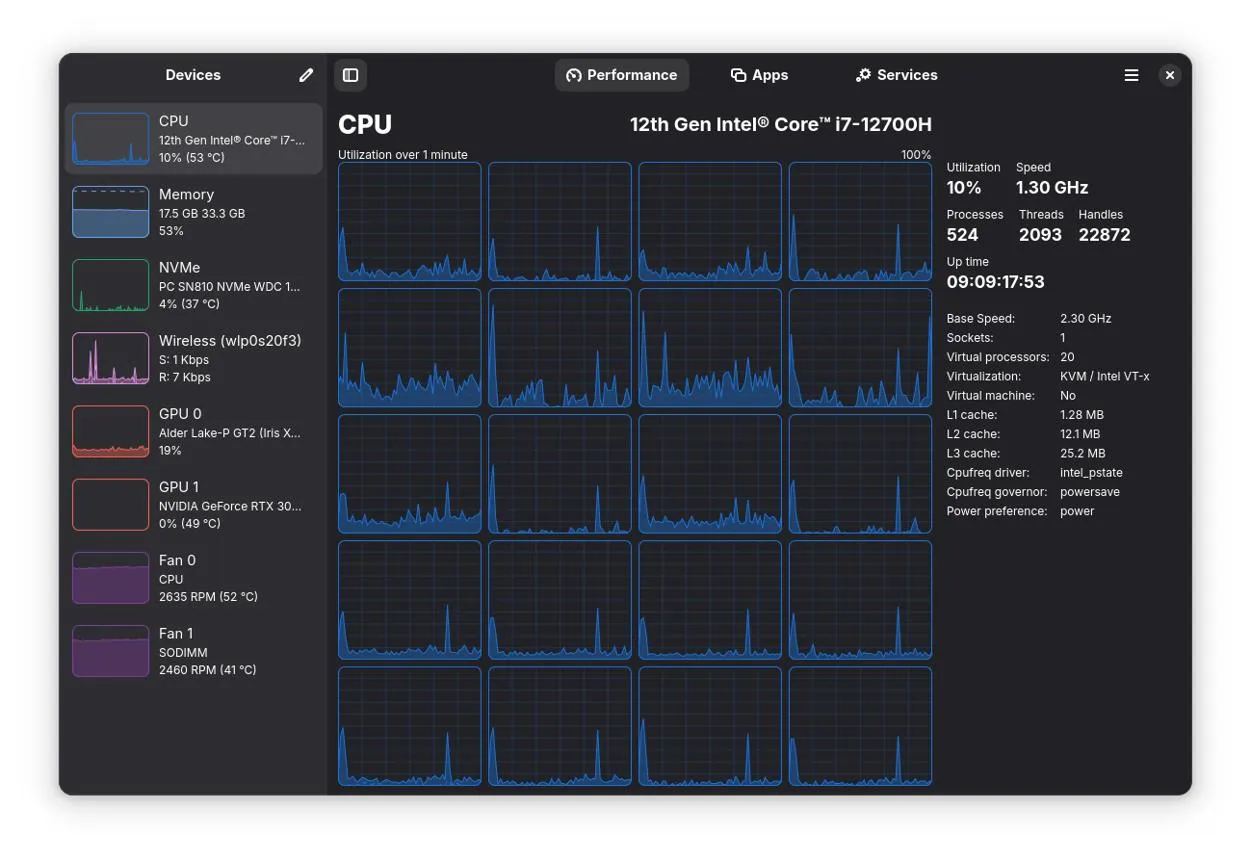
Keeping track of processor and memory usage is important when diagnosing performance issues. LinuxFo includes live resource monitoring that calculates CPU percentages and per-process CPU and RAM usage using successive kernel samples.
The system monitor refreshes its readings every three seconds while the application window remains open.
The Processes page also provides useful management features:
- View processes using the most CPU and memory resources.
- Search by process name, PID, or status.
- Inspect running processes.
- Terminate processes with confirmation.
- Restart supported processes with confirmation.
3. Storage and Disk Health Information

Storage management is another important part of system maintenance. LinuxFo includes dedicated Storage and Disk Health sections to help users inspect their storage devices and access available disk health information.
These features can help users investigate storage-related issues and better understand their installed drives. The exact health information available depends on hardware support and the interfaces exposed by the system.
4. Hardware Sensors
LinuxFo is designed to discover available hardware sensor information through Linux interfaces and optional utilities.
Sensor visibility depends on the hardware, firmware, drivers, permissions, and available system interfaces. Consequently, not every computer will expose the same readings.
5. Camera Detection and Permissions
LinuxFo can discover camera devices by checking available /dev/video* nodes and verifying whether the current user has permission to access them.
Camera discovery is passive: the application does not open the camera or start a video stream just to detect it.
On many Linux distributions, camera devices are assigned to the video group. If access is restricted, you may need to add your user account to that group:
sudo usermod -aG video "$USER"After running the command, sign out and sign back in for the group membership change to take effect. The required device group may vary depending on your Linux distribution.
6. Network and Device Diagnostics
LinuxFo also brings network and device-related information into its system information centre. This makes it easier to inspect available system information without switching between several standalone applications.
LinuxFo Supported Linux Distributions
LinuxFo is designed to work across multiple Linux distributions rather than depending on a single package manager or desktop environment.
Its stated target distributions include:
- Ubuntu
- Debian
- Fedora
- Arch Linux
- openSUSE
- Alpine Linux
The project also targets x86_64 and ARM64 architectures, with ARMv7 considered where the required toolchain and dependencies permit.
Technology Behind LinuxFo
LinuxFo is built with modern technologies that support a native Linux desktop experience.
- Rust: The programming language used to develop the application.
- GTK4: Provides the graphical user interface framework.
- libadwaita: Supports the application's desktop interface.
- Linux kernel interfaces: Used to collect system and hardware information.
- udev: Used where available for device discovery.
The application separates its interface from its hardware information collectors. This design helps prevent missing optional utilities or inaccessible devices from causing the entire application to crash.
How to Install LinuxFo on Ubuntu and Debian
LinuxFo provides instructions for installing the application on Debian-based distributions using a Debian package.
Step 1: Download LinuxFo
Visit the official GitHub repository and check its Releases section for an available package matching your system architecture.
Download LinuxFo from GitHub Releases
Choose the appropriate package:
linuxfo_for Intel and AMD 64-bit computers._amd64.deb linuxfo_for 64-bit ARM systems._arm64.deb
Step 2: Install the Debian Package
Open a terminal in the directory containing the downloaded package and execute:
sudo apt install ./linuxfo__amd64.deb Replace the filename with the actual downloaded package name. APT will install the package and resolve the required GTK4 and libadwaita runtime dependencies.
Step 3: Launch LinuxFo
After installation, you can launch LinuxFo from your desktop application menu or execute the following command:
linuxfoBuilding LinuxFo from Source
Developers who want to explore the source code or contribute to the project can build LinuxFo locally.
First, make sure Rust and the required GTK4 and libadwaita development libraries are installed. Then clone the repository:
git clone https://github.com/mhmdeve/linuxfo.git
cd linuxfo
Run the application using Cargo:
cargo run -p linuxfoRefer to the project's documentation for additional development and architecture information.
Is LinuxFo Free and Open Source?
Yes. LinuxFo is released under the MIT License, allowing users to study, modify, use, and redistribute the software for personal or commercial purposes, subject to the license terms.
When redistributing the software or substantial portions of it, the original copyright notice and MIT permission notice must be retained.
Final Verdict
LinuxFo brings several useful Linux system information and diagnostic capabilities together in one native desktop application. Its combination of hardware discovery, resource monitoring, storage information, sensor visibility, camera detection, and process management makes it an interesting utility for Linux users.
Its cross-distribution approach and Rust-based development also make it worth exploring for users who prefer a unified graphical interface instead of relying entirely on terminal commands.
If you want to explore its source code, installation instructions, and future updates, visit the official GitHub repository.
Official GitHub: https://github.com/mhmdeve/linuxfo/
Frequently Asked Questions
Is this guide beginner friendly?
Yes. This tutorial is written step-by-step for beginners.
Does this work in 2026?
Yes. This article is updated regularly with latest changes.
Where can I learn more?
Browse more tutorials on LoopGuy.





Comments (0)
No comments yet. Be the first to comment!
Leave a Comment