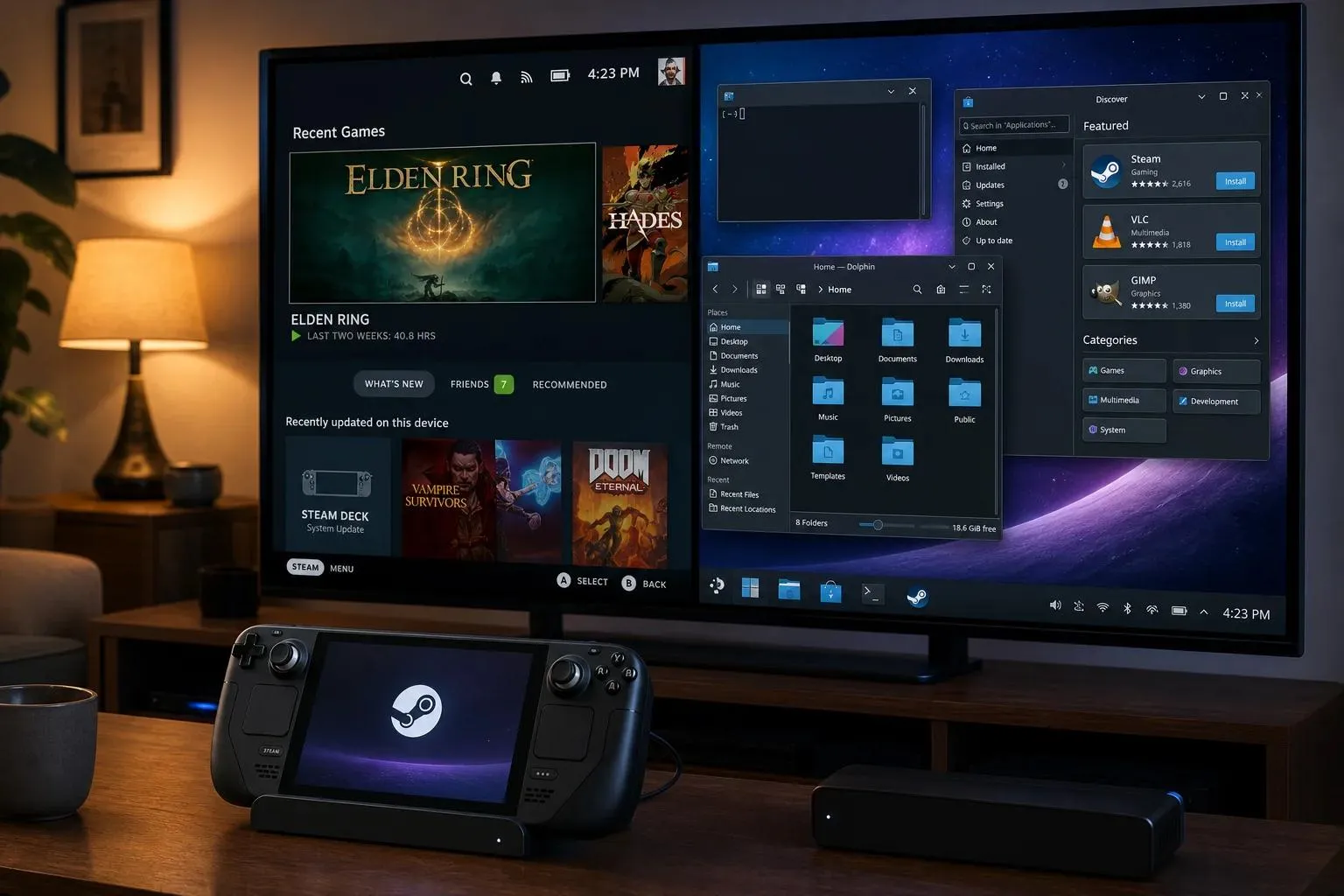
Steam Proton 11.0-3 Released: New Games & Fixes
Steam Proton 11.0-3 Released: 15 New Games and Major Linux Gaming Improvements
Valve has released Steam Proton 11.0-3 on November 24, 2026, bringing another round of improvements to Linux gaming. The latest update expands game compatibility, improves controller support, introduces early 32-bit OpenXR support, and fixes several issues affecting popular games.
For Linux gamers and Steam Deck owners, Proton remains one of the most important technologies for running Windows games without installing Microsoft's operating system. With this release, Valve continues improving the gaming experience across Linux-based systems.
What Is Steam Proton?

Steam Proton is a compatibility tool developed by Valve that allows Windows games to run on Linux-based operating systems through Steam Play.
Instead of requiring developers to create separate Linux versions of their games, Proton translates Windows system calls into compatible Linux functionality. It combines technologies such as Wine, DXVK, and VKD3D-Proton to make Windows games work on Linux.
Proton plays an important role in the Steam Deck, which runs SteamOS, a Linux-based operating system. It also allows desktop Linux users to access a much larger selection of Windows games.
Official project: ValveSoftware – Proton on GitHub.
Steam Proton 11.0-3: What's New?
The November 24 release introduces several improvements designed to expand game compatibility and resolve existing problems.
Here are the major highlights:
- 15 newly playable games: Additional Windows titles can now run through Proton.
- Improved controller support: Better Steam Input compatibility for several games.
- 32-bit OpenXR support: Early support for 32-bit OpenXR applications.
- AMD CPU improvements: Fixes for Crysis and Crysis Wars on certain newer AMD processors.
- Steam Deck improvements: Fixes HDR functionality in Far Cry 5 on OLED models.
- Graphics and performance fixes: Several rendering problems, crashes, and memory leaks have been addressed.
15 New Games Added to Proton 11.0-3

One of the most important additions is support for 15 newly playable titles.
According to Valve's official release notes, the following games have been added:
- Hero Plus
- City Car Driving
- Soul Land: Awakening World
- Bloody Zombies
- Welcome to Elderfield Demo
- The Heroic Legend of America: Second Revolutionary War
- Blair Witch VR
- Cool People Club
- The Eden of Grisaia
- The Rabbit's Scroll
- Elisa: The Innkeeper - Prequel
- Korea. IL-2 Series
- One Shot: Fading Memory
- Impulse Response
- 8Bit Fiesta - The Drinking Game
These additions further expand the selection of Windows games that Linux users can access through Steam Play.
Better Controller Support for Popular Games
Controller compatibility is another area receiving attention in Proton 11.0-3.
Valve has improved Steam Input handling for several titles, including:
- Far Cry New Dawn: Improved controller support.
- The Binding of Isaac: Rebirth: Better Steam Input compatibility.
- Split/Second: Improved controller handling.
The update also fixes controller detection problems in games such as Dragon Age: Inquisition and Avatar: Frontiers of Pandora.
Additionally, Valve has fixed a controller hotplugging regression affecting Chrono Trigger.
Early 32-bit OpenXR Support for VR Gaming
Virtual reality gaming also receives an important improvement in this release.
Proton 11.0-3 introduces early support for 32-bit OpenXR applications. OpenXR is an industry-standard technology that helps developers build applications compatible with different virtual reality platforms.
On x86 systems, this experimental functionality requires the following environment variable:
PROTON_USE_WOW64=1Valve has also fixed a VRChat crash related to fsync and resolved a startup problem affecting Blue Effect VR on certain processors.
These changes represent another step toward improving VR compatibility through Proton.
Important Performance and Graphics Fixes
Besides adding new games, Valve has addressed several bugs and regressions introduced in earlier Proton 11 builds.
1. AMD Graphics Compatibility
Proton 11.0-3 restores compatibility for Deus Ex: Mankind Divided on AMD GPUs. It also resolves several graphics-related problems affecting other games.
2. Forza Horizon 4 Memory Leak
The update fixes a memory leak affecting Forza Horizon 4 during its first launch under KDE Wayland.
3. Command & Conquer: Generals
Graphical glitches affecting the game's menu have been addressed, improving its compatibility with Proton 11.
4. Crysis and Crysis Wars
Valve has restored playability for Crysis and Crysis Wars on certain newer AMD processors that support CPUID faulting.
5. Far Cry 5 HDR Improvements
Steam Deck OLED owners also receive an HDR correction for Far Cry 5. The update additionally fixes an outdated GPU driver warning affecting AMD graphics cards.
Proton 11.0-3 Updates Its Underlying Technologies

Another important part of the release is the update to several technologies used internally by Proton.
| Technology | Updated Version |
|---|---|
| VKD3D | 2.1 |
| Wine Mono | 11.3.0 |
| Xalia | 0.5.0.1 |
| FEX | 2610 |
| DXVK | Updated Proton 11 support branch |
| VKD3D-Proton | Updated Proton 11 support branch |
These components help Proton handle Windows applications, graphics translation, controller interaction, and other compatibility requirements.
How to Get Steam Proton 11.0-3
Steam users can access Proton through the Steam client. Proton updates are distributed through Steam, so users generally do not need to download and install the compatibility tool manually.
For Linux Desktop Users
- Open the Steam client on your Linux desktop.
- Make sure Steam is updated to the latest available version.
- Open your Steam Library.
- Find a Windows game you want to run.
- Right-click the game and select Properties.
- Open the Compatibility section.
- Enable Force the use of a specific Steam Play compatibility tool if you want to select a particular Proton version.
- Select the available Proton version from the dropdown menu.
For Steam Deck Users
- Turn on your Steam Deck and connect it to the internet.
- Open Steam and check for available client updates.
- Navigate to your game library.
- Select the game you want to configure.
- Open its Properties and select Compatibility.
- Choose the desired Proton version if manual selection is necessary.
Note: Steam normally manages Proton updates automatically. The exact version available in the compatibility menu may depend on the Steam client and rollout status.
Is Proton 11.0-3 a Major Step for Linux Gaming?
Proton 11.0-3 is another meaningful compatibility update for Linux gaming. Its 15 newly playable games, controller improvements, VR support, and graphics fixes make it useful for both desktop Linux users and Steam Deck owners.
However, Proton updates do not automatically make every Windows game compatible with Linux. Some titles still encounter problems involving anti-cheat systems, launchers, graphics drivers, or other platform-specific requirements.
Nevertheless, continued improvements to Proton are helping Linux become a more practical gaming platform.
Final Verdict
Valve's Proton 11.0-3 release continues to improve the Windows gaming experience on Linux. Adding 15 newly playable games while fixing controller, graphics, VR, and performance issues makes this a useful update for the Linux gaming community.
For Steam Deck owners and desktop Linux gamers, keeping Proton updated is a simple way to benefit from the latest compatibility improvements.
Although Windows remains the dominant platform for PC gaming, projects like Proton are gradually reducing the compatibility gap between Windows and Linux.
What do you think about Valve's Proton updates? Would you consider switching from Windows to Linux for gaming if more Windows games became compatible? Share your thoughts in the comments!
Frequently Asked Questions (FAQs)
1. When was Steam Proton 11.0-3 released?
Valve released Proton 11.0-3 on November 24, 2026.
2. How many new games does Proton 11.0-3 support?
The update adds 15 newly playable games, according to Valve's official release notes.
3. Is Steam Proton available for Windows?
Proton is primarily designed to run Windows games on Linux through Steam Play. Windows users generally do not need Proton to run Windows games.
4. Does Proton 11.0-3 improve Steam Deck gaming?
Yes. The update includes a Far Cry 5 HDR fix for Steam Deck OLED models and several other compatibility improvements.
5. Is Proton free?
Yes. Proton is an open-source compatibility tool developed by Valve and is available through Steam.
6. Does Proton support every Windows game?
No. Compatibility varies between games. Some titles work perfectly, while others may have performance problems or fail to launch.
Frequently Asked Questions
Is this guide beginner friendly?
Yes. This tutorial is written step-by-step for beginners.
Does this work in 2026?
Yes. This article is updated regularly with latest changes.
Where can I learn more?
Browse more tutorials on LoopGuy.



Comments (0)
No comments yet. Be the first to comment!
Leave a Comment