
10 Best AI Agents in 2026 to Automate Your Daily Work
10 Best AI Agents in 2026 to Automate Your Daily Work
Artificial intelligence is changing the way people work, and AI agents are becoming one of the most important developments in modern technology. Unlike traditional AI chatbots that mainly answer questions, AI agents can plan tasks, use connected tools, process information, and complete multiple steps with less manual involvement.
Whether you are a student, freelancer, business owner, content creator, or professional, AI agents can help reduce repetitive work and improve productivity. From managing emails and researching information to building automated workflows and assisting with software development, these tools are making everyday tasks easier.
In this guide, we will explore the 10 best AI agents in 2026, their key features, practical applications, advantages, and limitations. We will also explain how to choose the right AI agent for your needs.
What Are AI Agents?
An AI agent is a software system that uses artificial intelligence to understand a goal, plan the necessary steps, interact with tools, and perform tasks with limited human supervision.
For example, instead of asking an ordinary chatbot to explain how to organize your work, you could instruct an AI agent to research a topic, organize the information, prepare a report, and save the completed document.
Depending on its permissions and connected applications, an AI agent may be able to:
- Research topics and collect information.
- Organize emails and manage repetitive communication.
- Prepare reports, summaries, and documents.
- Connect different applications and automate workflows.
- Assist with coding and software development.
- Analyze data and support business decisions.
- Perform scheduled tasks and monitor specific activities.
AI Chatbots vs. AI Agents
Although AI chatbots and AI agents use similar underlying technologies, they serve different purposes.
- AI Chatbot: Mainly responds to questions, generates text, and provides information.
- AI Agent: Can plan and execute multiple steps, use external tools, and work toward a specific objective.
The main difference is that an AI agent can take action instead of simply generating an answer. However, its actual capabilities depend on the platform, available tools, permissions, and level of human supervision.
10 Best AI Agents in 2026
Here are some of the most useful AI agent platforms and tools to consider in 2026. Each one serves a different purpose, so the best option depends on the type of work you want to automate.
1. ChatGPT Work – Best for General Productivity
Overview
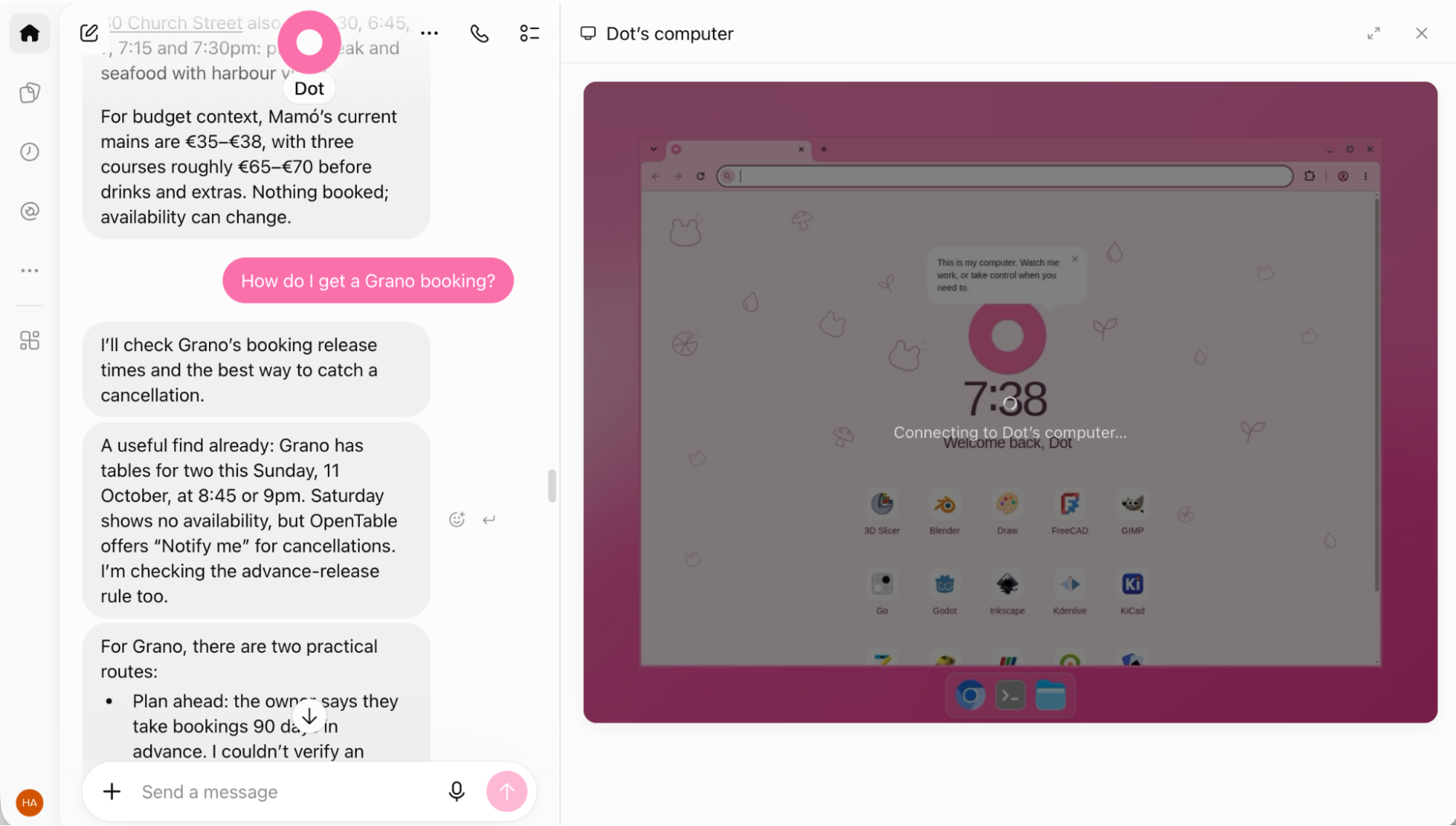
ChatGPT Work is an agentic work environment that can help users complete multi-step assignments. Instead of only answering questions, it can research information, work with files, use supported tools, navigate websites, and produce completed deliverables.
It is useful for people who want an AI assistant that can handle different types of work without building a complicated automation system from scratch.
Key Features
- Research information from multiple sources.
- Work with documents and uploaded files.
- Navigate supported websites and complete multi-step processes.
- Analyze information and create structured reports.
- Assist with repetitive digital tasks.
Best Use Cases
- Online research and report preparation.
- Content planning and organization.
- Document analysis.
- Multi-step administrative tasks.
Advantages
- Suitable for a wide range of everyday tasks.
- Can work across files, tools, and websites.
- Produces practical deliverables rather than only answers.
Limitations
- Availability depends on your account and plan.
- Some tasks require human approval or additional input.
- Complex assignments can consume more time and usage allowance.
Official Website: ChatGPT
2. Claude – Best for Research, Writing, and Coding
Overview
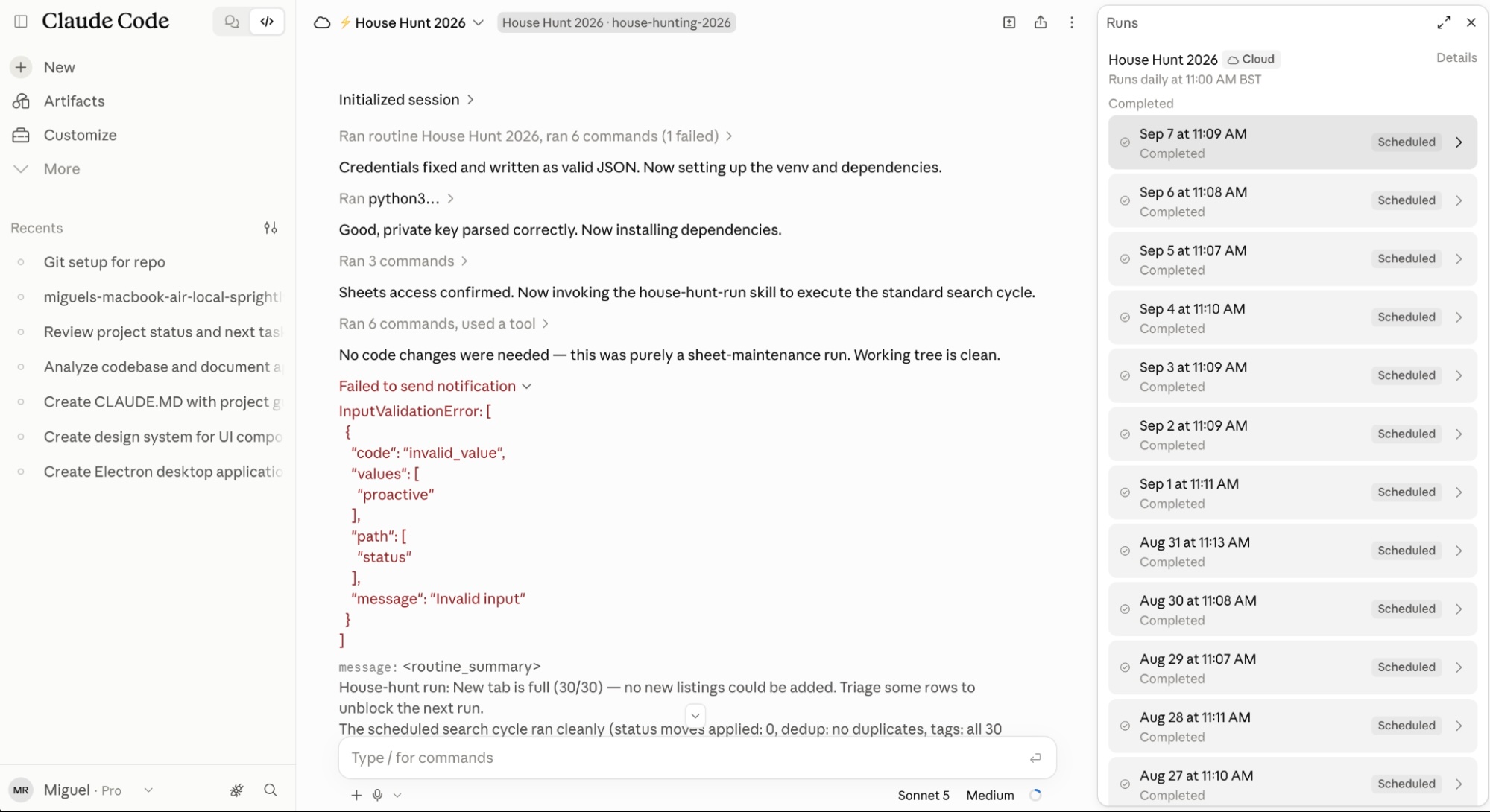
Claude, developed by Anthropic, is an AI assistant with agentic capabilities that can help users with writing, research, coding, and complex problem-solving.
Its Claude Code product is particularly useful for developers who want AI assistance with software projects. Claude can also work with connected tools and supported computer-use capabilities to complete multi-step activities.
Key Features
- Writing and editing long-form content.
- Analyzing documents and large amounts of information.
- Assisting with programming and debugging.
- Working with supported external tools.
- Automating certain computer-based tasks.
Best Use Cases
- Blog writing and content research.
- Software development.
- Document analysis.
- Technical problem-solving.
Advantages
- Useful for detailed writing and analysis.
- Strong coding-oriented capabilities.
- Supports different types of professional work.
Limitations
- Some advanced capabilities require paid plans.
- Usage limits can affect longer assignments.
- Generated code and actions still require verification.
Official Website: Claude AI
3. Google Gemini – Best for Google Workspace Users
Overview
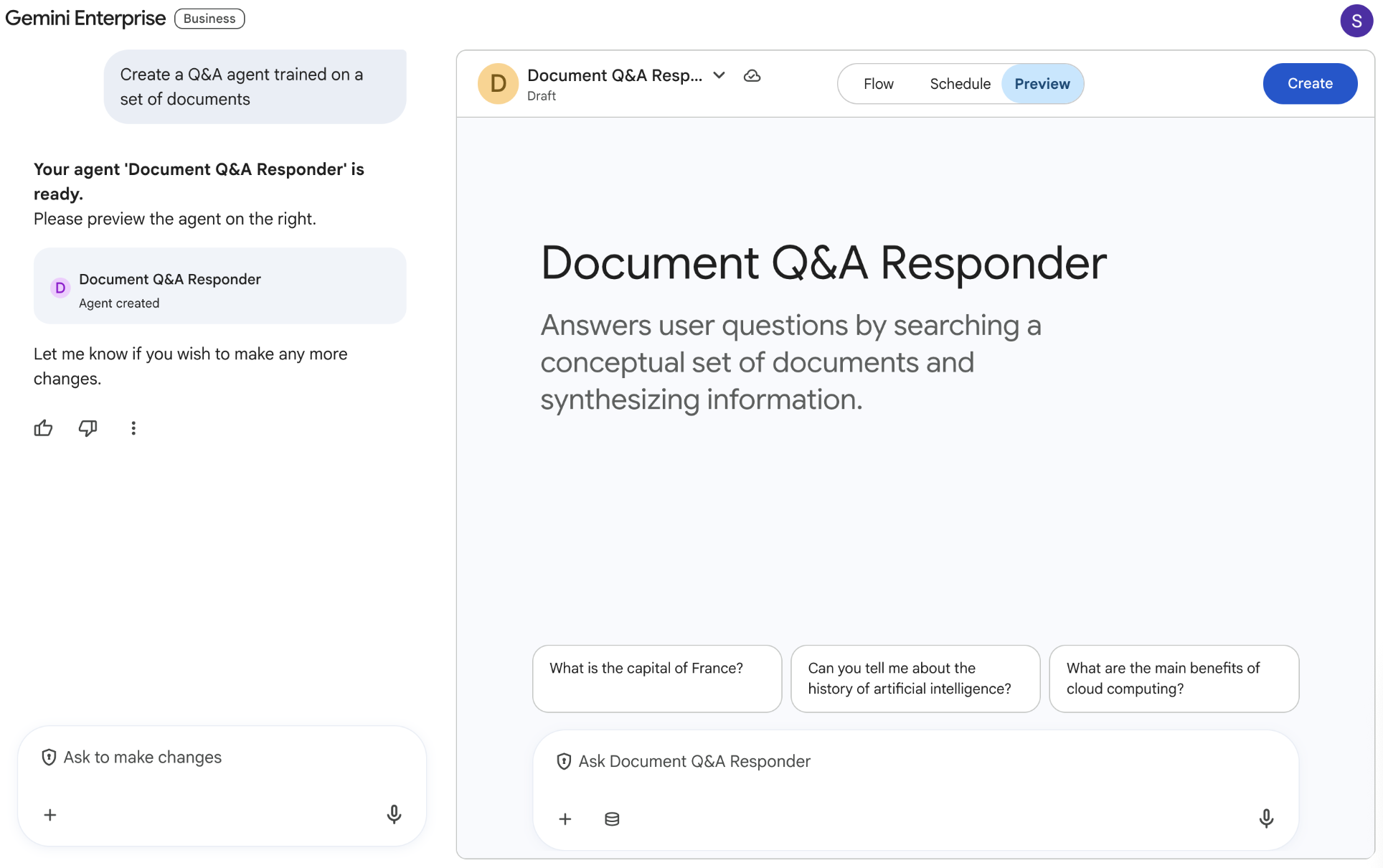
Google Gemini is an AI platform that helps users research information, generate content, understand documents, and work with Google's ecosystem.
Its integration with Google services makes it especially useful for people who regularly use Gmail, Google Docs, Google Drive, and other Workspace applications. Depending on the account and available features, Gemini-powered capabilities can also support more advanced agentic workflows.
Key Features
- AI-assisted research and information analysis.
- Writing and summarizing documents.
- Assistance with Google Workspace applications.
- Multimodal capabilities for supported content.
- Support for building and using AI-powered workflows.
Best Use Cases
- Managing information across Google services.
- Summarizing emails and documents.
- Research and brainstorming.
- Improving workplace productivity.
Advantages
- Works well within Google's ecosystem.
- Useful for research and document-related tasks.
- Supports multiple content formats.
Limitations
- Some advanced features require eligible subscriptions.
- Capabilities vary by region and account.
- Not every workflow can run completely independently.
Official Website: Google Gemini
4. Zapier Agents – Best for Connecting Different Apps

Overview
Zapier Agents helps users create AI-powered agents that can perform tasks across connected applications. Zapier is already known for connecting thousands of online services, and its agent capabilities extend this approach by allowing AI to make decisions and perform actions within configured workflows.
For example, a business could create an agent that collects incoming customer information, organizes it, and sends relevant details to a connected customer management system.
Key Features
- Connections with thousands of applications.
- AI-powered task automation.
- Custom agent instructions.
- Integration with business workflows.
- Templates for common automation tasks.
Best Use Cases
- Customer support automation.
- Lead management.
- Business communication.
- Connecting different software applications.
Advantages
- Large application integration ecosystem.
- Useful for non-technical users.
- Can automate repetitive business processes.
Limitations
- Advanced automation may require paid plans.
- Task and usage limits depend on the subscription.
- Complex workflows require careful configuration.
Official Website: Zapier Agents
5. n8n Agents – Best for Custom AI Automation

Overview
n8n is a workflow automation platform that allows users to connect applications, APIs, databases, and AI models. Its newer Agents functionality makes it possible to create agents that can decide which connected tools and workflows to use when completing a task.
For example, you could build an AI-powered content workflow that researches a topic, prepares a draft, sends it for review, and organizes the approved content for publication.
Key Features
- Visual workflow automation.
- AI agents with configurable tools and instructions.
- API and application integrations.
- Support for custom workflows.
- Self-hosting options and greater technical control.
Best Use Cases
- Automating business operations.
- Building AI-powered content workflows.
- Connecting databases and applications.
- Creating custom AI assistants.
Advantages
- Highly customizable.
- Suitable for advanced automation projects.
- Offers self-hosting options.
Limitations
- Requires some technical knowledge for advanced projects.
- Self-hosting requires server maintenance.
- External AI model usage may involve additional costs.
Official Website: n8n
6. Microsoft Copilot Studio – Best for Business Automation
Overview
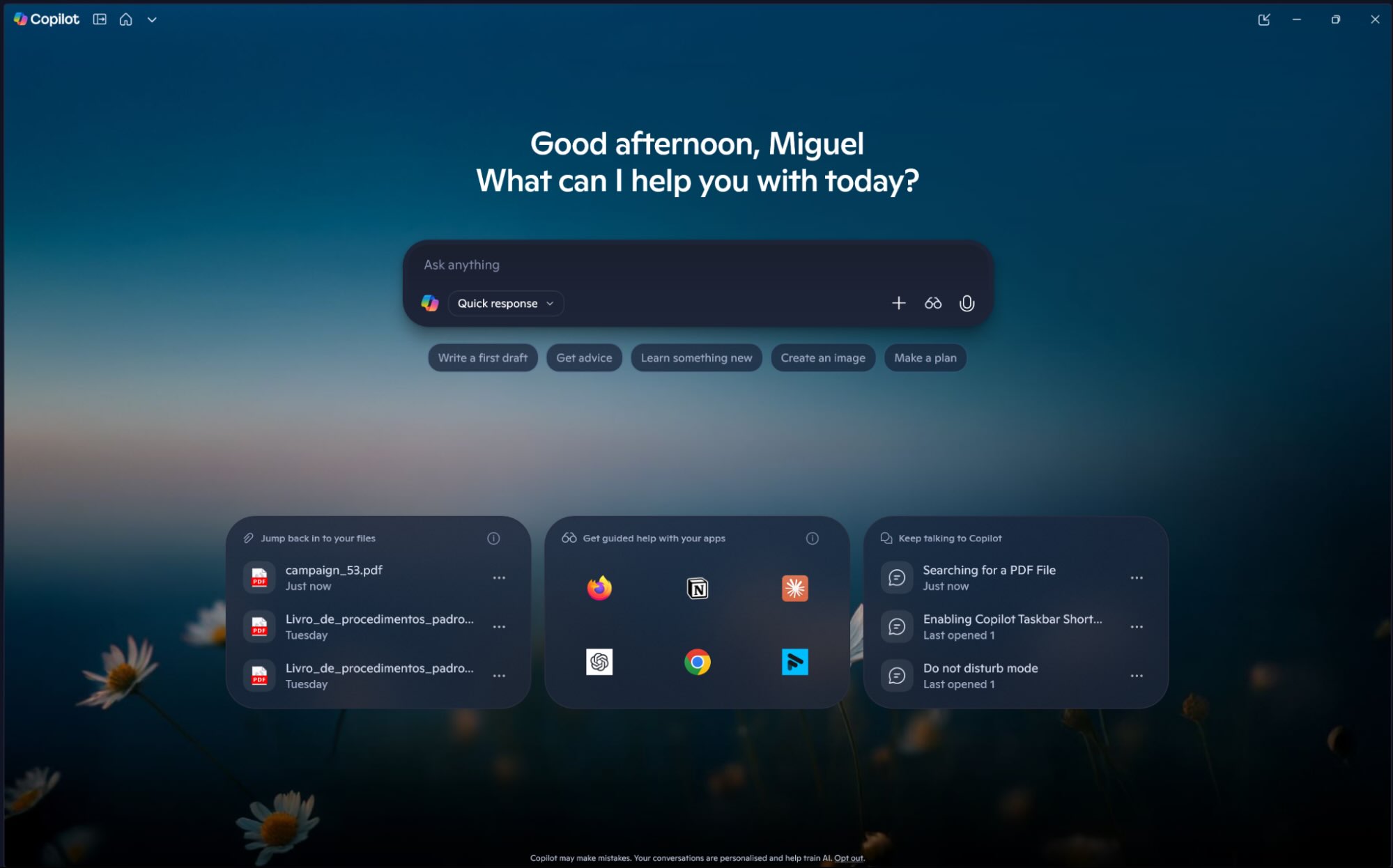
Microsoft Copilot Studio is a platform for creating and managing AI agents for business processes. It allows organizations to build agents that can connect to business data, interact with supported applications, and help automate workplace activities.
It is particularly useful for companies already working with Microsoft 365, Power Platform, and other Microsoft services.
Key Features
- Custom AI agent creation.
- Integration with Microsoft business tools.
- Connections to enterprise data sources.
- Workflow automation.
- Administrative and governance controls.
Best Use Cases
- Internal employee support.
- Customer service automation.
- Business process automation.
- Enterprise knowledge assistance.
Advantages
- Suitable for Microsoft-based organizations.
- Supports custom business agents.
- Offers enterprise-oriented controls.
Limitations
- Can be complex for beginners.
- Pricing and licensing depend on usage and configuration.
- Some integrations require additional setup.
Official Website: Microsoft Copilot Studio
7. Lindy – Best for Personal Productivity

Overview
Lindy is an AI assistant platform designed to automate everyday work, particularly tasks involving emails, meetings, scheduling, and business communication.
It can help users organize information, prepare meeting-related materials, and handle repetitive administrative activities through connected applications.
Key Features
- Email organization and assistance.
- Meeting preparation and follow-ups.
- Scheduling-related workflows.
- Custom AI assistant creation.
- Integration with supported business applications.
Best Use Cases
- Managing daily administrative work.
- Organizing meetings.
- Handling repetitive email tasks.
- Supporting sales and customer communication.
Advantages
- Designed around practical productivity tasks.
- Can reduce repetitive administrative work.
- Useful for professionals and small businesses.
Limitations
- Advanced features may require a subscription.
- Performance depends on connected services.
- Users should carefully review automated messages and actions.
Official Website: Lindy AI
8. Gumloop – Best for Visual AI Workflows

Overview
Gumloop is an AI automation platform that helps users create workflows involving AI models, applications, and data sources. It is designed to make complex automation easier to organize through a visual interface.
Users can create systems that collect information, process data, generate content, and perform connected actions without manually completing every step.
Key Features
- Visual workflow building.
- AI-powered automation.
- Connections with external applications.
- Data processing and information extraction.
- Reusable automation workflows.
Best Use Cases
- Marketing automation.
- Lead research and enrichment.
- Content processing.
- Business data workflows.
Advantages
- Visual approach to workflow creation.
- Useful for AI-powered business processes.
- Reduces the need for repetitive manual work.
Limitations
- Usage-based costs can increase with complex workflows.
- Some integrations may require configuration.
- Advanced automation requires understanding workflow logic.
Official Website: Gumloop
9. CrewAI – Best for Multi-Agent Systems

Overview
CrewAI is a framework for creating AI systems in which multiple specialized agents can work together. Each agent can be assigned a particular role, task, and set of responsibilities.
For example, a content production system could use one agent for research, another for outlining, and a third for reviewing the final draft. A coordinator can organize the work between these specialized agents.
Key Features
- Creation of multiple specialized AI agents.
- Task delegation between agents.
- Custom workflows and tools.
- Support for Python-based development.
- Agent coordination and collaboration.
Best Use Cases
- Multi-step research projects.
- Content production pipelines.
- Custom business automation.
- Developer-focused AI applications.
Advantages
- Flexible multi-agent architecture.
- Suitable for customized AI systems.
- Offers developers greater control over agent behavior.
Limitations
- Requires programming knowledge for most custom implementations.
- Debugging multi-agent workflows can be difficult.
- Running multiple agents can increase model usage costs.
Official Website: CrewAI
10. Relevance AI – Best for Building AI Workforce Systems

Overview
Relevance AI is a platform for creating AI agents and multi-agent systems that can help automate business operations. It is aimed at organizations that want to create specialized AI workers for different processes.
Businesses can use these agents to assist with research, sales operations, customer interactions, and other repetitive activities.
Key Features
- Custom AI agent creation.
- Multi-agent workflows.
- Business process automation.
- Integration with external tools and data.
- Reusable agent-based systems.
Best Use Cases
- Sales and lead research.
- Customer operations.
- Business workflow automation.
- Building specialized AI assistants.
Advantages
- Designed for business-focused automation.
- Supports specialized AI agents.
- Useful for complex, repeatable processes.
Limitations
- Advanced functionality may require paid plans.
- Complex systems need testing and monitoring.
- Integration and usage costs should be evaluated.
Official Website: Relevance AI
AI Agents Comparison Table
The following table summarizes the main strengths of these tools so you can quickly identify which one fits your requirements.
| AI Agent | Best For | Technical Level |
|---|---|---|
| ChatGPT Work | General productivity | Beginner |
| Claude | Writing and coding | Beginner to Advanced |
| Google Gemini | Google Workspace | Beginner |
| Zapier Agents | App integrations | Beginner to Intermediate |
| n8n Agents | Custom automation | Intermediate |
| Microsoft Copilot Studio | Business automation | Intermediate |
| Lindy | Personal productivity | Beginner |
| Gumloop | Visual workflows | Beginner to Intermediate |
| CrewAI | Multi-agent systems | Advanced |
| Relevance AI | Business AI workforce | Intermediate |
Note: Technical levels are approximate editorial guidance, not official product ratings. Features, pricing, and availability can change. Check each provider's official website before choosing a plan.
How to Choose the Right AI Agent
Choosing an AI agent depends on your goals, technical experience, budget, and the applications you already use. Not every tool is designed for the same purpose.
1. Identify Your Main Goal
Start by identifying the tasks you want to automate. If you mainly need research and writing assistance, a general-purpose AI assistant may be sufficient. If you want to connect multiple applications, consider an automation platform.
2. Consider Your Technical Skills
Some AI agents offer simple interfaces that do not require programming knowledge, while others provide advanced customization through APIs, code, and workflow configurations.
3. Check Pricing and Usage Limits
Some platforms offer free access or limited trials, while advanced automation features may require paid subscriptions. Also consider API costs, task limits, and the amount of work your agent will perform.
4. Review Integrations
Make sure the platform supports the applications and services you already use. An AI agent becomes more useful when it can access the information and tools needed to complete its tasks.
5. Prioritize Security
Review permissions before connecting an agent to your email, files, business accounts, or other sensitive systems. Give it only the access it needs and require approval for important or irreversible actions.
Practical Ways to Use AI Agents in Everyday Life
AI agents are not limited to large companies or software developers. Individuals and small businesses can also use them to simplify everyday activities.
For Students
- Organize study materials and notes.
- Summarize lengthy documents.
- Create study schedules.
- Research academic topics.
For Bloggers and Content Creators
- Research blog topics and keywords.
- Prepare article outlines.
- Organize content calendars.
- Assist with social media planning.
For Small Businesses
- Organize customer inquiries.
- Automate repetitive administrative tasks.
- Prepare business reports.
- Manage lead information.
For Developers
- Assist with code generation.
- Identify programming errors.
- Automate software testing tasks.
- Build custom AI-powered applications.
Are AI Agents Safe to Use?
AI agents can save time, but giving software the ability to access applications and perform actions introduces additional security risks.
Before using an AI agent, consider these important precautions:
- Do not provide unnecessary passwords or sensitive personal information.
- Use limited permissions instead of unrestricted account access.
- Review automated emails and messages before sending them.
- Monitor workflows that interact with financial or business accounts.
- Test an agent with non-sensitive information before using it for important work.
- Keep records of important automated actions.
Remember that an AI agent is not a replacement for human judgment. Important decisions should always be reviewed by a responsible person.
Frequently Asked Questions (FAQs)
1. What is the best AI agent in 2026?
The best AI agent depends on your requirements. ChatGPT Work is useful for general multi-step productivity tasks, Claude is suitable for writing and coding, Zapier Agents helps connect applications, and n8n is useful for custom automation.
2. Are there free AI agents available?
Yes. Several platforms offer free plans, limited access, trials, or open-source options. However, advanced features, higher usage limits, and certain integrations may require payment.
3. Can AI agents work without human supervision?
Some AI agents can complete predefined tasks with limited supervision. However, they can still make mistakes, misunderstand instructions, or encounter unexpected situations. Human oversight remains important.
4. Can AI agents make money?
AI agents can help businesses and individuals save time, improve operations, and support services such as content production, lead research, and customer support. They do not guarantee income, and successful results depend on the business model and execution.
5. Are AI agents difficult to use?
Not necessarily. Some platforms provide beginner-friendly interfaces and ready-made templates. More advanced tools, such as n8n and CrewAI, require additional technical knowledge for customized systems.
6. What is the difference between AI agents and AI automation?
Traditional automation usually follows predefined rules and steps. AI agents can interpret goals, choose tools, and adapt their actions based on information they receive. Many modern systems combine both approaches.
Final Thoughts
AI agents are becoming an important part of modern productivity and business automation. They can help people manage repetitive activities, organize information, connect applications, and complete complex tasks more efficiently.
If you are a beginner, start with a general-purpose assistant such as ChatGPT, Claude, or Gemini. If you want to automate applications and business workflows, explore Zapier Agents or n8n. Developers interested in building systems with multiple specialized agents can also consider CrewAI.
The most effective approach is to start with one repetitive task, choose an appropriate AI agent, test it carefully, and measure how much time or effort it actually saves.
AI agents are powerful tools, but their real value comes from using them for the right tasks with proper human oversight.
Frequently Asked Questions
Is this guide beginner friendly?
Yes. This tutorial is written step-by-step for beginners.
Does this work in 2026?
Yes. This article is updated regularly with latest changes.
Where can I learn more?
Browse more tutorials on LoopGuy.





Comments (0)
No comments yet. Be the first to comment!
Leave a Comment