ArtCraft Craft Apps: 16 Free Open-Source Creative Apps Built in Rust (2026 Guide)
ArtCraft Craft Apps: 16 Free Open-Source Creative Apps Built in Rust (2026 Guide)
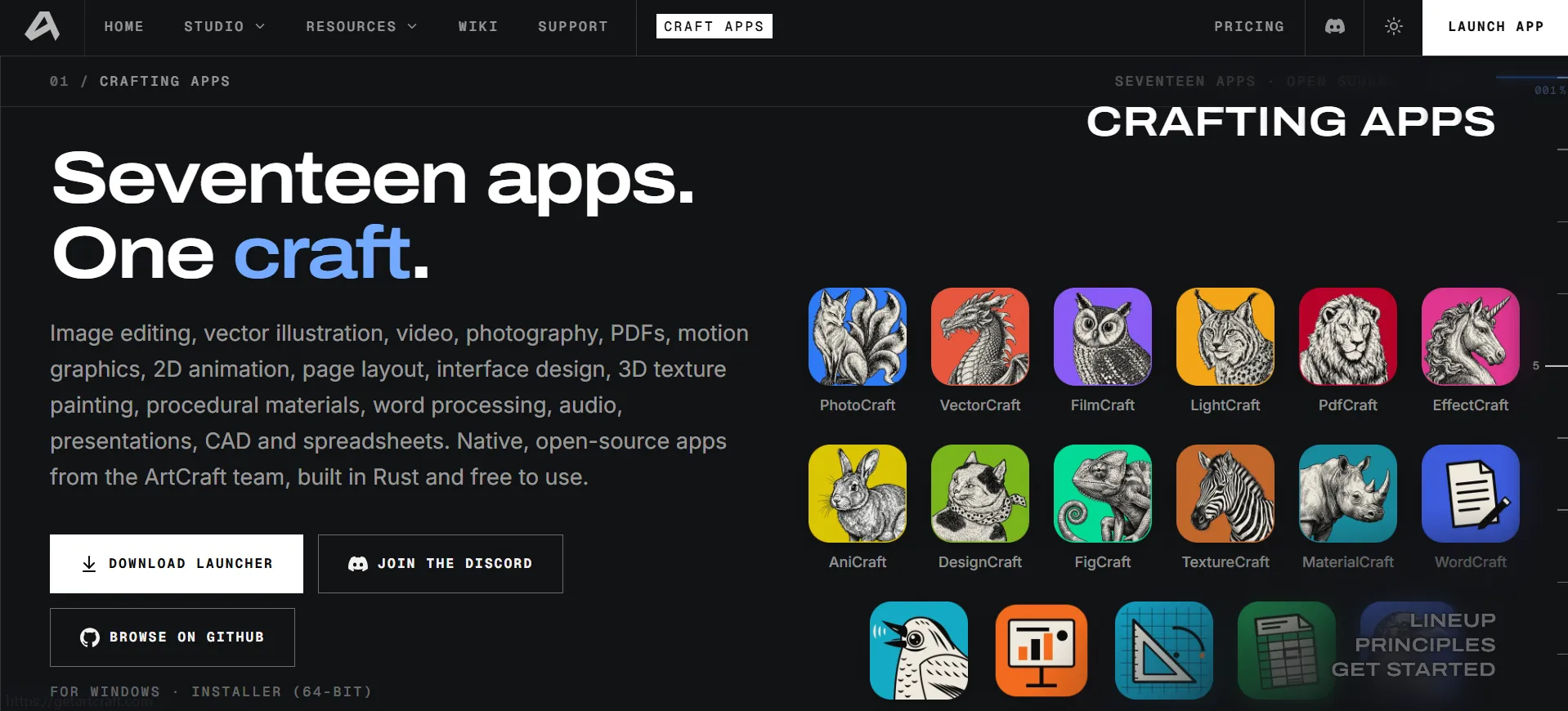
Creative software is expensive, and subscriptions add up fast. ArtCraft is trying a different approach with Craft Apps: a lineup of sixteen free, open-source apps covering image editing, vector illustration, video, photography, PDFs, motion graphics, page layout, interface design, 3D texturing, audio, presentations, CAD and spreadsheets. They are built from scratch in Rust and run on Windows, macOS and Linux, and most also run in your browser. In this guide we explain what each app does, how to try them, and what to expect.
What Are the ArtCraft Craft Apps?
Craft Apps are native, open-source creative tools made by the ArtCraft team. According to the project, every app shares the same rules:
- Open source: the code is on GitHub under permissive licenses, so you can read it, fork it and build on it.
- Native, not wrapped: written in pure Rust and compiled to real desktop apps, with no Electron and no web views.
- Familiar from day one: layouts, tools and shortcuts that working professionals already know, so there is little to relearn.
- Your files, your machine: apps run locally on your own files, with no cloud round-trips.
- Agent-ready: each app can be controlled from a command line, a JSON control channel or an MCP server, which suits automation and AI agents.
- Also in your browser: most apps also compile to WebAssembly and run in a browser tab.
All 16 Craft Apps at a Glance
| App | What It Does | Status | Platforms |
|---|---|---|---|
| PhotoCraft | Image editor | Early alpha | macOS, Windows, Linux, Web |
| VectorCraft | Vector illustration | In development | macOS, Windows, Linux, Web |
| FilmCraft | Video editor | In development | macOS, Windows, Linux |
| LightCraft | Photo library and raw developer | In development | macOS, Windows, Linux, Web |
| PdfCraft | PDF workbench | Early alpha | macOS, Windows, Linux, Web |
| EffectCraft | Motion graphics and VFX | In development | macOS, Windows, Linux, Web |
| DesignCraft | Page layout and publishing | In development | macOS, Windows, Linux, Web |
| FigCraft | Interface design and prototyping | Early alpha | macOS, Windows, Linux, Web |
| TextureCraft | 3D texture painting | In development | macOS, Windows, Linux, Web |
| MaterialCraft | Node-based procedural materials | In development | macOS, Windows, Linux, Web |
| WordCraft | Word processing | In development | macOS, Windows, Linux, Web |
| SoundCraft | Digital audio workstation | In development | macOS, Windows, Linux, Web |
| DeckCraft | Presentations and slide shows | In development | macOS, Windows, Linux, Web |
| CADCraft | Computer-aided design and drafting | In development | macOS, Windows, Linux, Web |
| GridCraft | Spreadsheets and data analysis | In development | macOS, Windows, Linux, Web |
| Craft Anything | Explore how software works and build your own | Early alpha | macOS, Windows, Linux, Web |
Status and platforms are taken from the official ArtCraft apps page and may change as development continues.
Image, Photo and Design Apps
- PhotoCraft: an open-source image editor with layers, adjustments like Curves, and type layers. It aims to feel familiar if you have used other image editors.
- VectorCraft: fast vector illustration with a live Appearance panel (for effects like glow) and detailed text properties, good for posters and logos.
- LightCraft: a photo library and raw developer that runs on your own machine, with light and effects sliders.
- DesignCraft: page layout and publishing for magazines and brochures, with threaded text frames and text wrap.
- FigCraft: interface design and prototyping, with auto layout, components and theme variables for app and website mockups.
Video, Motion and Audio Apps
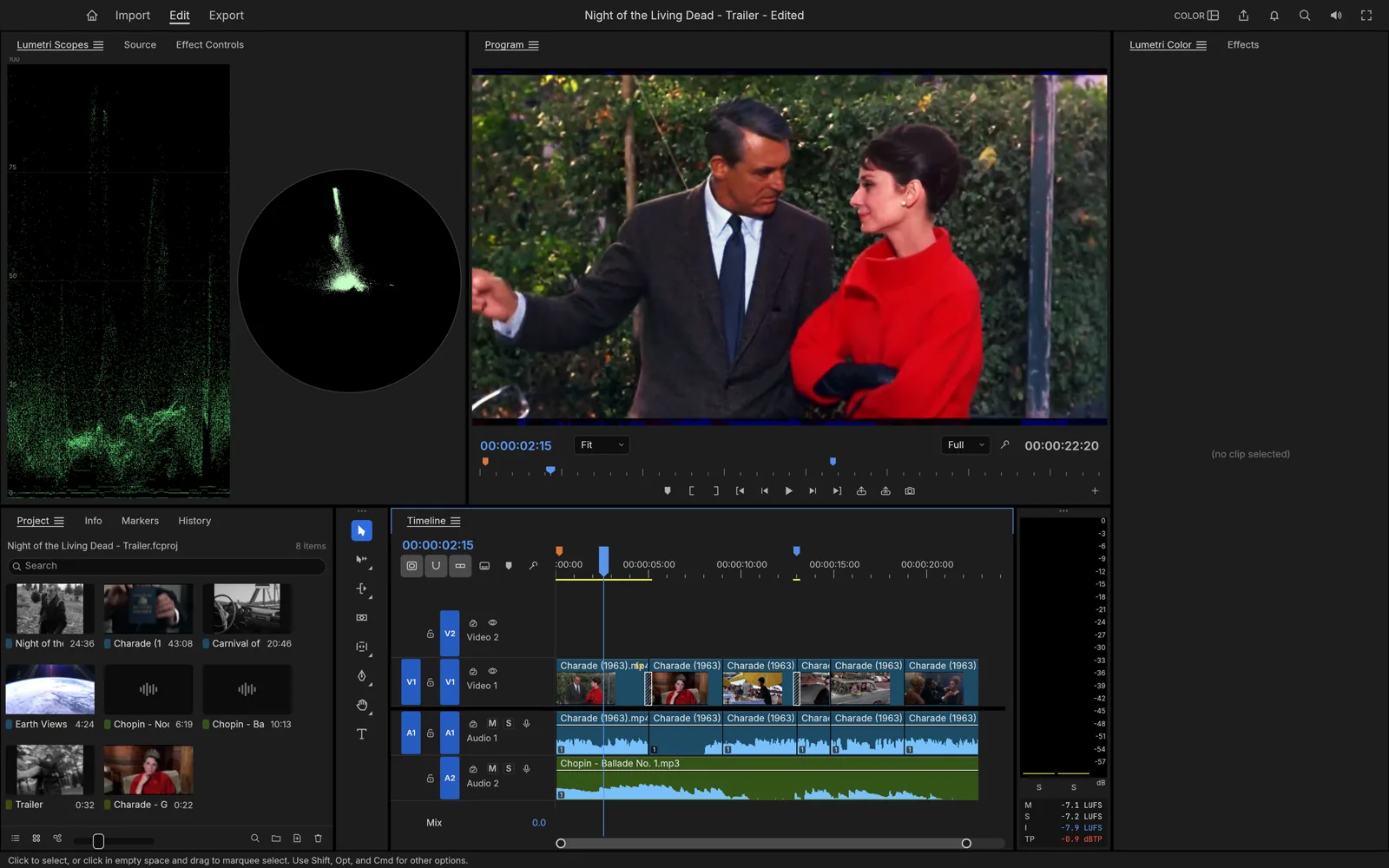
- FilmCraft: a video editor with a multi-track timeline, program monitor and video scopes. It is the one Craft App without a browser version.
- EffectCraft: motion graphics and visual effects, with a composition panel, layer timeline and properties panel.
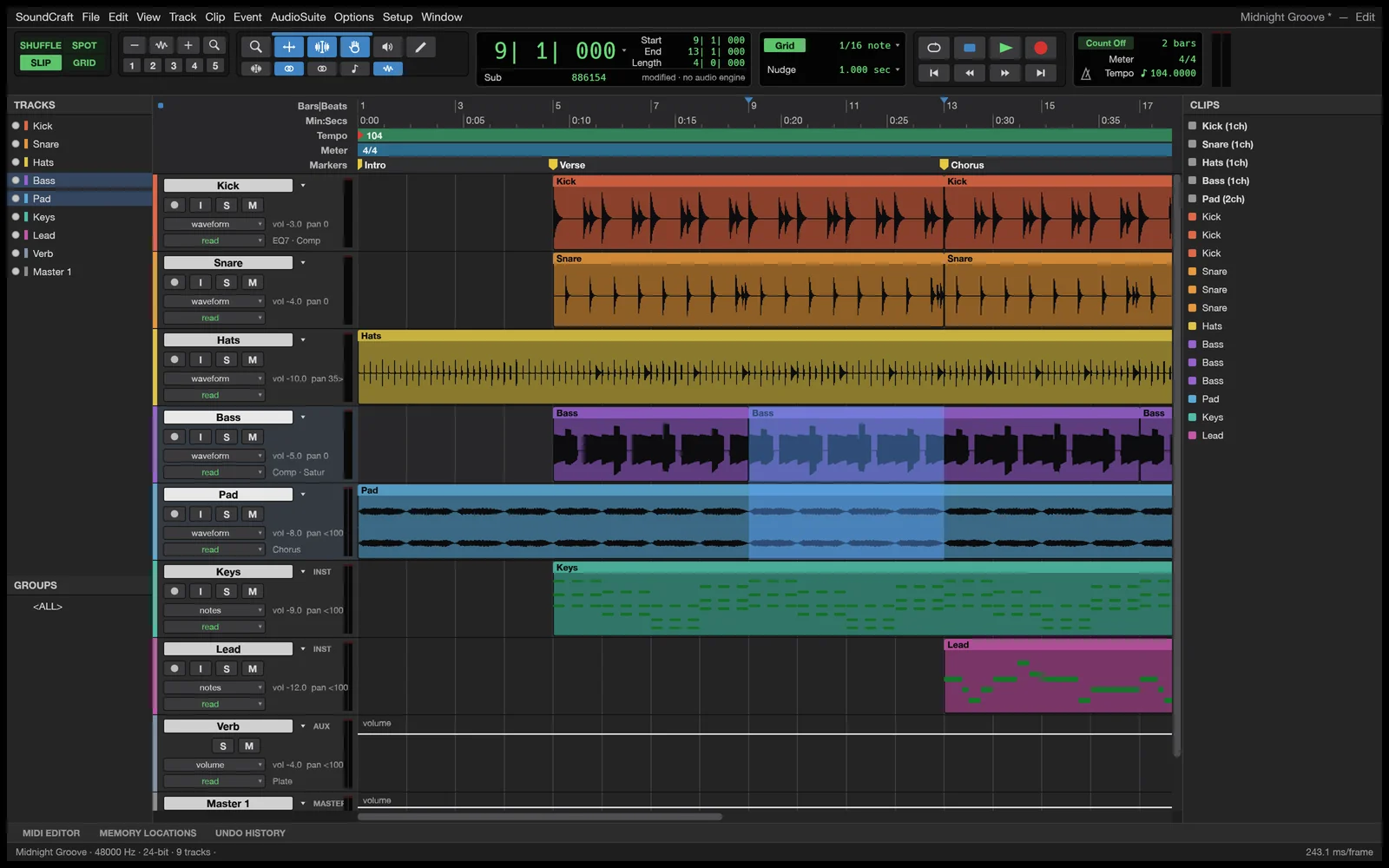
- SoundCraft: a digital audio workstation for multi-track recording, editing and mixing, including audio waveforms and MIDI tracks.
3D and Materials Apps
- TextureCraft: paint textures directly on 3D models, with a material library, UV view and layer stack.
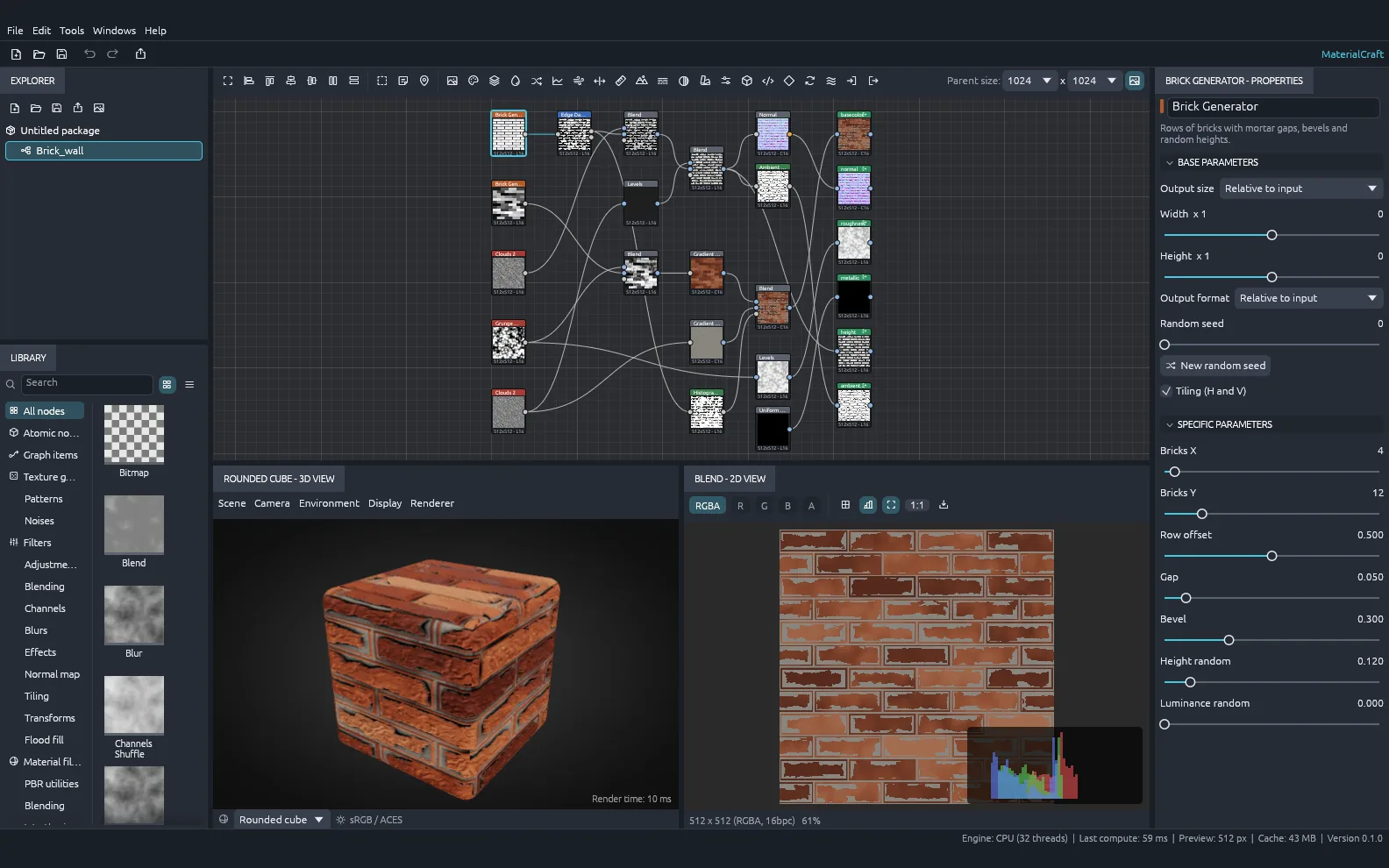
- MaterialCraft: build procedural materials with a node graph and live thumbnails, such as a brick wall material.
Office, PDF and Engineering Apps
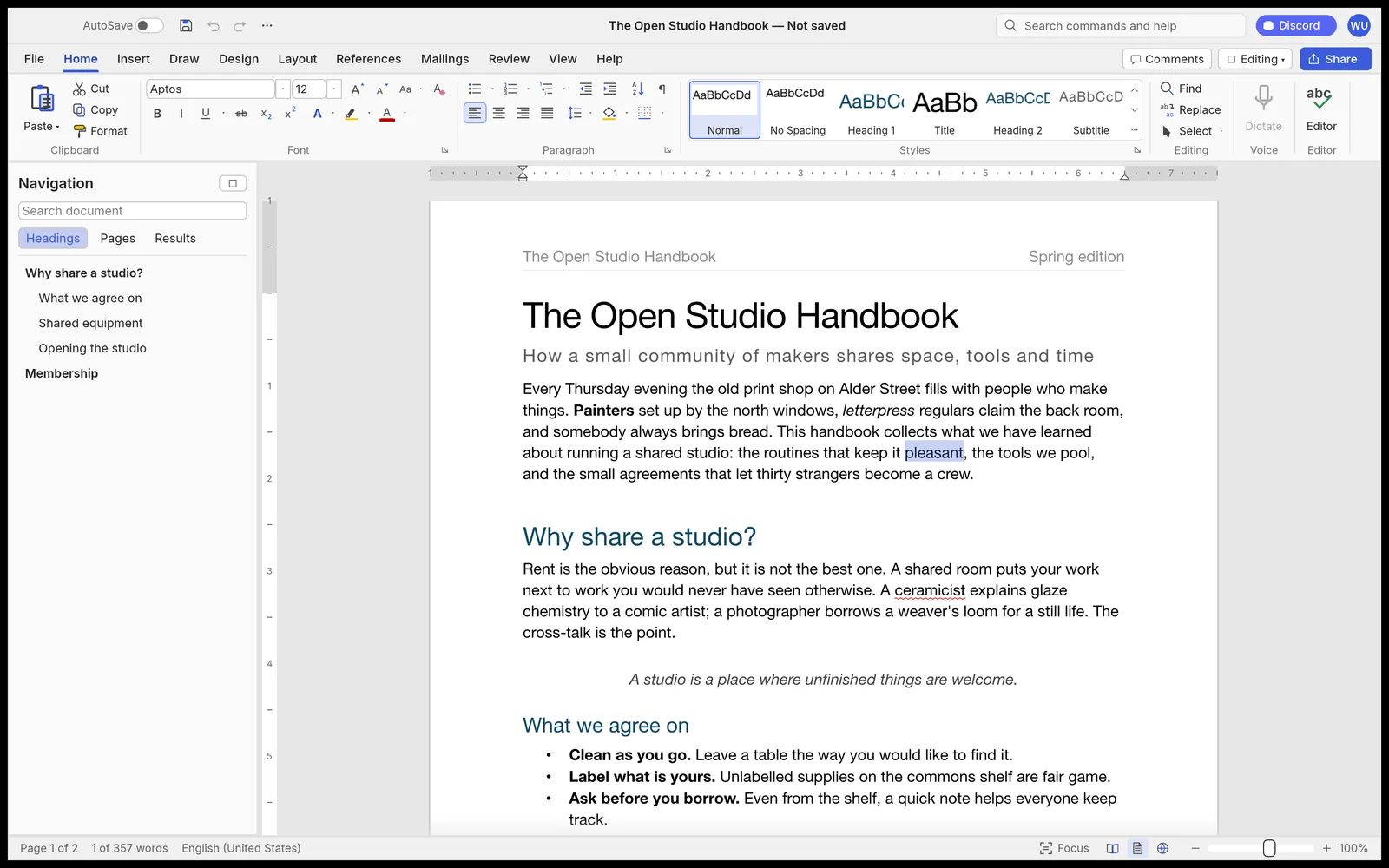
- WordCraft: word processing with a ribbon interface, navigation pane and a styles gallery with live previews.
- GridCraft: spreadsheets and data analysis, with conditional formatting, sparklines and charts.
- DeckCraft: presentations with slide thumbnails, speaker notes and vector diagrams.
- PdfCraft: read, organize, combine, split and secure PDFs, with threaded comments.
- CADCraft: drafting for floor plans and technical drawings, with dimensions, hatching and a command line.
Craft Anything
Craft Anything lets you explore how software works and build your own version. It is in early alpha, and the project shows it creating a website with build checks, approval requests and a plan.
How to Download and Try the Craft Apps
- Visit the official Craft Apps page.
- Download the ArtCraft Launcher from the project’s GitHub releases page. It installs every app and keeps them all updated.
- Or open an individual app’s page to find its own installers.
- Prefer not to install anything? Open the browser version of an app, where available.
- Join the ArtCraft Discord to test early builds, report bugs and follow progress.
Who Are Craft Apps For?
- Students and beginners who want free creative tools without subscriptions.
- Open-source fans who like to read, fork and contribute to code.
- Developers and automation fans interested in controlling apps through a CLI, JSON or MCP.
- Linux users looking for more native creative apps.
- Testers who enjoy trying early software and giving feedback.
Pros and Cons
Pros
- Free and open source
- Native apps for Windows, macOS and Linux, plus browser versions for most
- Files stay on your own machine
- One launcher to install and update everything
- Automation support for AI agents and scripts
Cons
- Most apps are still in early alpha or in development, so expect missing features and bugs
- Not yet ready to replace mature paid tools for professional work
- Smaller community and fewer tutorials than long-established software
Frequently Asked Questions
Are the ArtCraft Craft Apps free?
Yes. The Craft Apps are free to use and open source, with their code available on GitHub.
Which platforms do Craft Apps support?
All sixteen apps have installers for macOS, Windows and Linux, and every app except FilmCraft also runs in a browser.
Are Craft Apps ready for professional use?
Not yet for most. The apps are listed as early alpha or in development, so they are best for testing, learning and personal projects for now.
What does “built in Rust” mean?
Rust is a programming language known for speed and memory safety. The project says its apps are written in pure Rust, without Electron or web views.
Is there an app for spreadsheets and documents?
Yes. GridCraft handles spreadsheets, WordCraft handles word processing and DeckCraft handles presentations.
Where can I follow development or request apps?
Join the ArtCraft Discord, where the team shares early builds, roadmaps and takes requests for what to rebuild next.
Final Thoughts
The ArtCraft Craft Apps are an ambitious attempt to build a full set of free, open-source creative tools. They are young projects, so expect rough edges, but they are well worth testing if you want free alternatives or enjoy following open-source development. Try the browser versions first, and keep checking back as the apps mature. For more free software guides and tech news, keep following LoopGuy.
Frequently Asked Questions
Is this guide beginner friendly?
Yes. This tutorial is written step-by-step for beginners.
Does this work in 2026?
Yes. This article is updated regularly with latest changes.
Where can I learn more?
Browse more tutorials on LoopGuy.

Comments (0)
No comments yet. Be the first to comment!
Leave a Comment