Best Free Alternatives to Paid Windows Software in 2026 (Office, Photoshop, Premiere & More)
Best Free Alternatives to Paid Windows Software in 2026 (Office, Photoshop, Premiere & More)
Paid software adds up fast. Microsoft Office, Adobe Photoshop, Premiere Pro and AutoCAD can cost hundreds of dollars a year, and the “free” cracked versions often come with malware. The good news is that you don’t need either. This guide lists the best free alternatives to paid Windows software that are legal, safe and powerful enough for students, freelancers and everyday users.
Quick Comparison: Paid Software vs Free Alternatives
| Paid Software | Free Alternative | Best For |
|---|---|---|
| Microsoft Office | LibreOffice / OnlyOffice | Documents, sheets, slides |
| Adobe Photoshop | GIMP / Krita / Photopea | Photo editing and digital art |
| Adobe Illustrator | Inkscape | Vector graphics and logos |
| Adobe Premiere Pro | DaVinci Resolve / Kdenlive | Video editing |
| Adobe Acrobat Pro | PDF24 Tools | Editing and merging PDFs |
| WinRAR | 7-Zip | Compressing and extracting files |
| AutoCAD | FreeCAD / LibreCAD | 2D and 3D design |
| Camtasia | OBS Studio | Screen recording and streaming |
| Adobe Audition | Audacity | Audio recording and editing |
| Maya / 3ds Max | Blender | 3D modeling and animation |
1. Free Alternatives to Microsoft Office
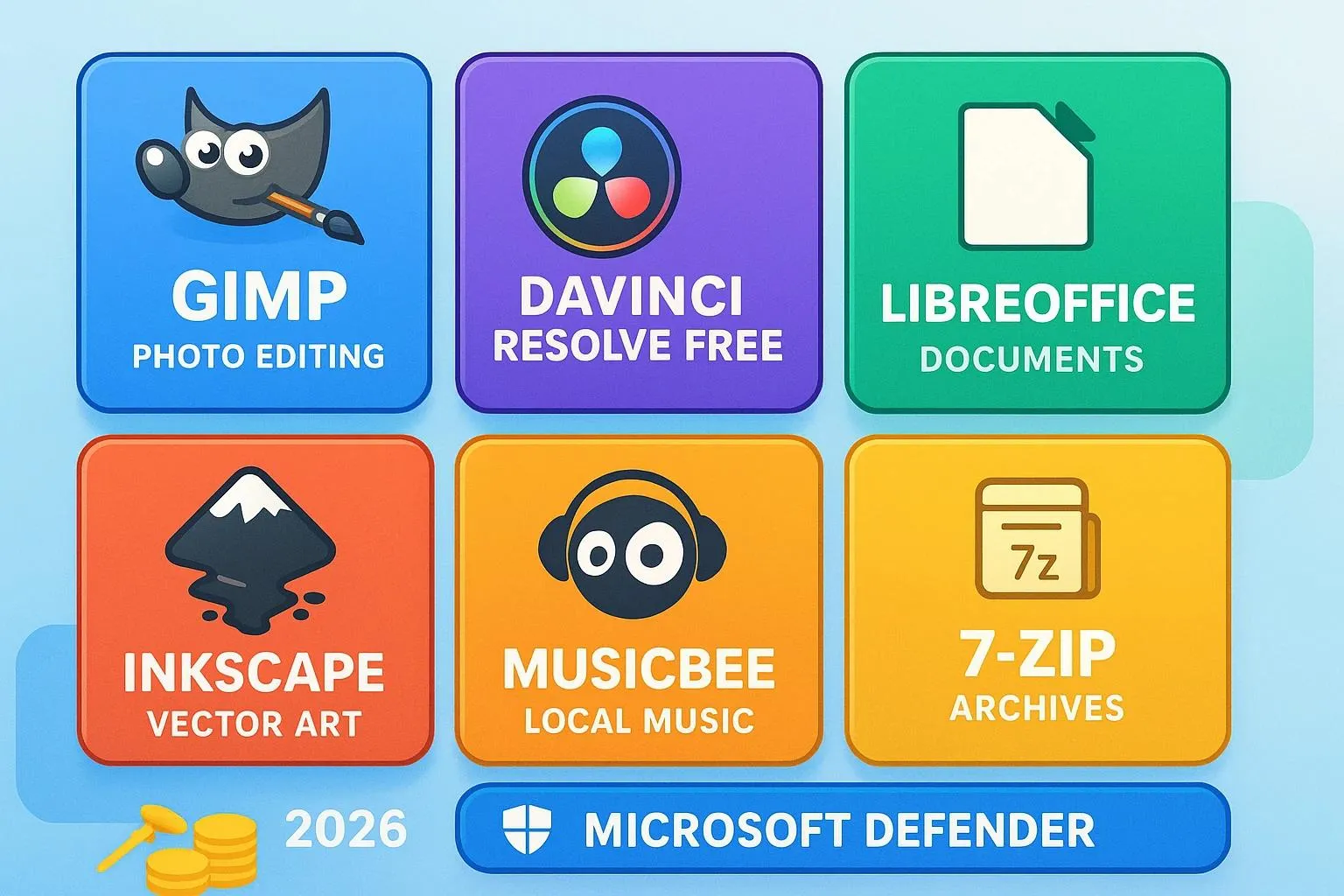
- LibreOffice: a complete free office suite with Writer, Calc and Impress. It opens and saves
.docx,.xlsxand.pptxfiles. - OnlyOffice: has an interface very close to Microsoft Office, which makes switching easier.
Tip: Complex documents with heavy formatting can shift slightly when moved between programs, so check the layout before sending important files.
2. Free Alternatives to Adobe Photoshop
- GIMP: a powerful open-source editor with layers, masks, filters and retouching tools.
- Krita: built for digital painting and illustration, and very popular with artists.
- Photopea: a free browser-based editor that looks like Photoshop and can open
.psdfiles. It is ad-supported. - Paint.NET: a lightweight option for quick edits.
3. Free Alternatives to Adobe Illustrator
- Inkscape: a full vector editor for logos, icons and illustrations, with SVG as its native format.
4. Free Alternatives to Adobe Premiere Pro
- DaVinci Resolve (free version): professional editing, color grading and audio tools. It needs a reasonably strong PC and a decent GPU.
- Kdenlive: an open-source editor that is lighter and easier to learn than Resolve.
- HandBrake: not an editor, but the best free tool for converting and compressing videos.

5. Free Alternatives to Adobe Acrobat Pro
- PDF24 Tools: merge, split, compress and edit PDFs without paying for Acrobat.
- For the simple job of just reading PDFs, your browser or Microsoft Edge already works well.
6. Free Alternatives to WinRAR
- 7-Zip: a free and open-source archiver that supports ZIP, RAR extraction, 7z and many more formats. Windows 11 can also extract several formats natively.
7. Free Alternatives to AutoCAD
- FreeCAD: parametric 3D modeling for product design and engineering.
- LibreCAD: a simple 2D drafting tool for technical drawings.
8. Free Alternatives for Screen Recording and Streaming
- OBS Studio: record your screen, webcam and audio, or go live on YouTube and Twitch with no watermark.
- ShareX: excellent for screenshots, short screen recordings and GIFs.
9. Free Alternatives for Audio and 3D
- Audacity: record, clean and edit audio. It is great for podcasts and voice-overs.
- Blender: a professional 3D suite for modeling, animation, rendering and even video editing.
10. Free Alternatives for Everyday Windows Tools
- Visual Studio Code: a free code editor for web development, Python and more.
- VLC Media Player: plays almost any audio or video file.
- BleachBit: a free alternative to paid PC cleaner tools.
- Microsoft Defender: built into Windows and enough for most users, so you may not need paid antivirus.
Why Avoid Cracked Software?
- Malware and ransomware are commonly hidden inside cracks and keygens.
- Your passwords, wallet and browser data can be stolen.
- There are no security updates, so the software gets less safe over time.
- It is illegal and can create problems for freelancers and businesses.
Free and open-source programs give you similar results with none of these risks.
Free Software Safety Checklist
- Download only from the official website or the Microsoft Store.
- During installation, choose “Custom” install and untick any bundled extras.
- Check the file with Microsoft Defender before running it.
- Keep programs updated for security fixes.
Frequently Asked Questions
Is free software really as good as paid software?
For most users, yes. Tools like LibreOffice, GIMP, DaVinci Resolve and Blender are used professionally. Paid tools may still win on specific workflows or team features.
Is open-source software safe?
Yes, when downloaded from the official website. Open-source code can be reviewed by anyone, which helps catch problems early.
Can free alternatives open Microsoft Office and Photoshop files?
Mostly yes. LibreOffice opens .docx, .xlsx and .pptx, and Photopea and GIMP can open .psd files, though complex layouts or effects may not look identical.
Which free software is best for a low-end PC?
Try Paint.NET, Kdenlive, 7-Zip, VLC and LibreOffice, which run well on modest hardware. DaVinci Resolve and Blender need stronger specs.
Final Thoughts
You don’t need to spend hundreds of dollars or risk cracked software to get your work done. Start with the alternative that matches your daily needs, such as LibreOffice, GIMP, DaVinci Resolve or Blender, and you may never go back. Share this list with a friend or classmate, and keep following LoopGuy for more Windows tips and tutorials.
Frequently Asked Questions
Is this guide beginner friendly?
Yes. This tutorial is written step-by-step for beginners.
Does this work in 2026?
Yes. This article is updated regularly with latest changes.
Where can I learn more?
Browse more tutorials on LoopGuy.

Comments (0)
No comments yet. Be the first to comment!
Leave a Comment