Mister Download Manager: A Free, Open-Source IDM Alternative for Windows, Mac & Linux (2026 Guide)
Mister Download Manager: A Free, Open-Source IDM Alternative for Windows, Mac & Linux (2026 Guide)
Internet Download Manager (IDM) is one of the most popular download accelerators on Windows, but it is paid software with a 30-day trial. If you want something similar without a license, Mister Download Manager (MDM) is a new free and open-source option. It is written from scratch in Rust, has no ads or sign-up, and runs on Windows, macOS and Linux. In this guide we explain what it does, how to install it, and the limits to know about before you rely on it.
What Is Mister Download Manager?

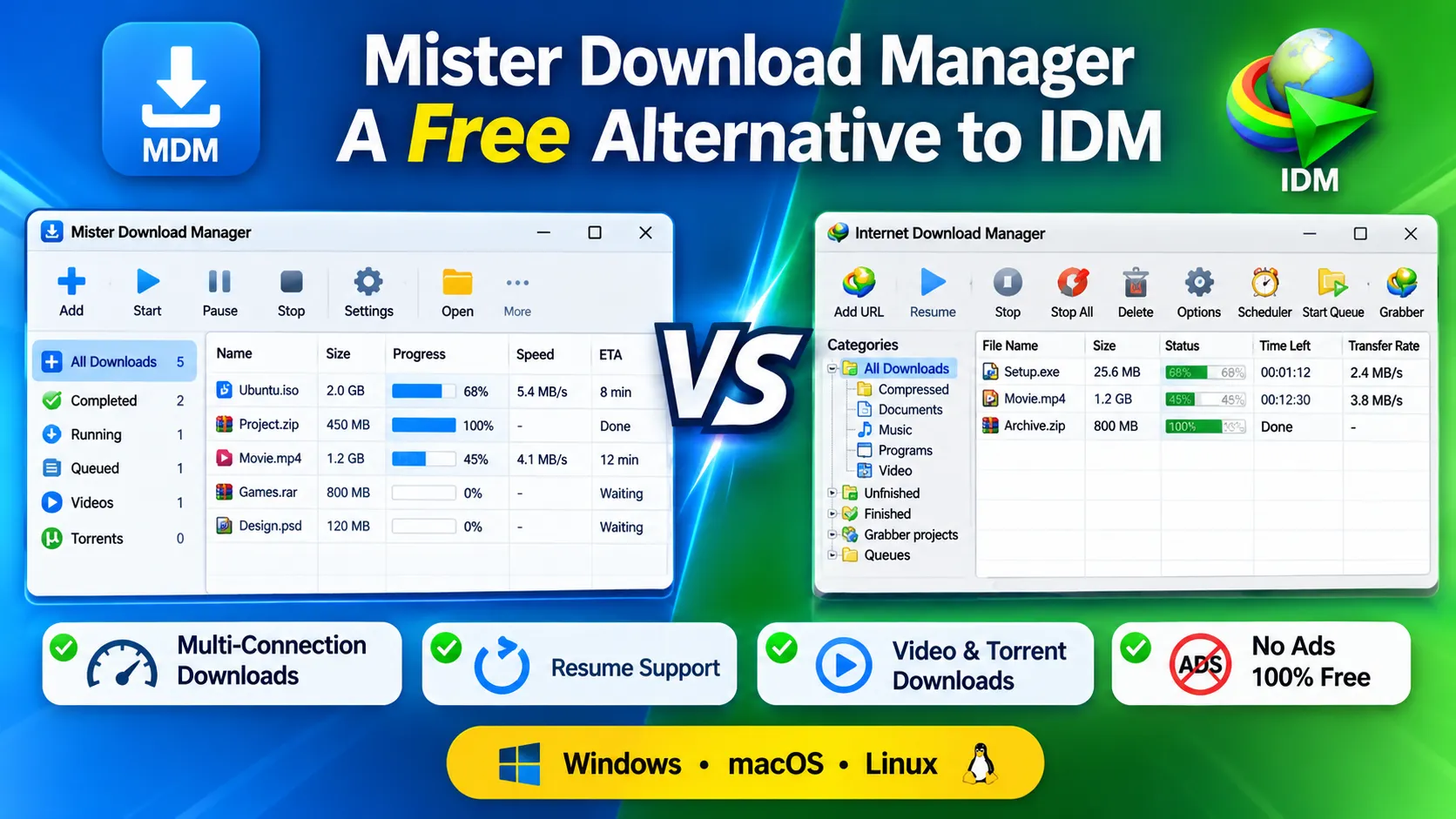
Mister Download Manager is a download manager that aims to feel familiar to IDM users: a toolbar, download categories, a list of downloads, a progress window and a browser button, all in the places you would expect. It is released under the GNU GPL v3 license, and its source code is on GitHub.
The developer states that it is an independent, clean-room project that contains no code or assets from IDM, and that it is not affiliated with Tonec Inc., the makers of IDM.
Key Features
- Faster downloads: splits a file into parts, downloads them at the same time and keeps re-balancing until the last byte.
- Resume support: continue after a crash, a restart or a dropped connection without starting over.
- Browser integration: catches downloads from Chrome, Edge and Brave, with Firefox still in testing.
- Video downloads: a download button appears over videos on web pages, using yt-dlp behind the scenes.
- Torrent support: magnet links,
.torrentfiles and seeding. - Scheduler and queues: download overnight and optionally shut down the computer afterwards.
- Speed limits: limit one download or all downloads so you keep bandwidth for other things.
- 86 languages: including full right-to-left layouts for Arabic, Hebrew, Persian, Urdu and Uyghur.
- Dark mode and a portable version for USB sticks.
- Automation: IDM-style command-line switches, a command-line tool, a local API and an MCP server for AI assistants.
- Accessibility: keyboard navigation and screen reader support (Narrator and NVDA).
- No ads, no trial, no account.
Mister Download Manager vs IDM
| Feature | Mister Download Manager | Internet Download Manager |
|---|---|---|
| Price | Free | Paid, after a 30-day trial |
| Open source | Yes (GPL-3.0) | No |
| Ads or nag screens | None | Registration required |
| Platforms | Windows, macOS, Linux | Windows |
| Languages | 86 | About 40 (per MDM) |
| Torrents and magnet links | Yes | Not a built-in focus |
| Video downloads from web pages | Yes | Yes |
Comparison based on information published by the MDM project. IDM details may change.
Is It Really 5× Faster Than IDM?
The project claims that a 1 GB file finished in about 1 second versus 5.5 seconds for IDM 6.42, and that it won all seven of its test scenarios. These results come from the developer’s own benchmark on a local test server, so they are not independent tests. Real-world speed depends mainly on your internet connection and the server you download from, so don’t expect the same multiples on every download. The developer has published the benchmark tools, so anyone can repeat the tests.
How to Download and Install MDM (Windows)
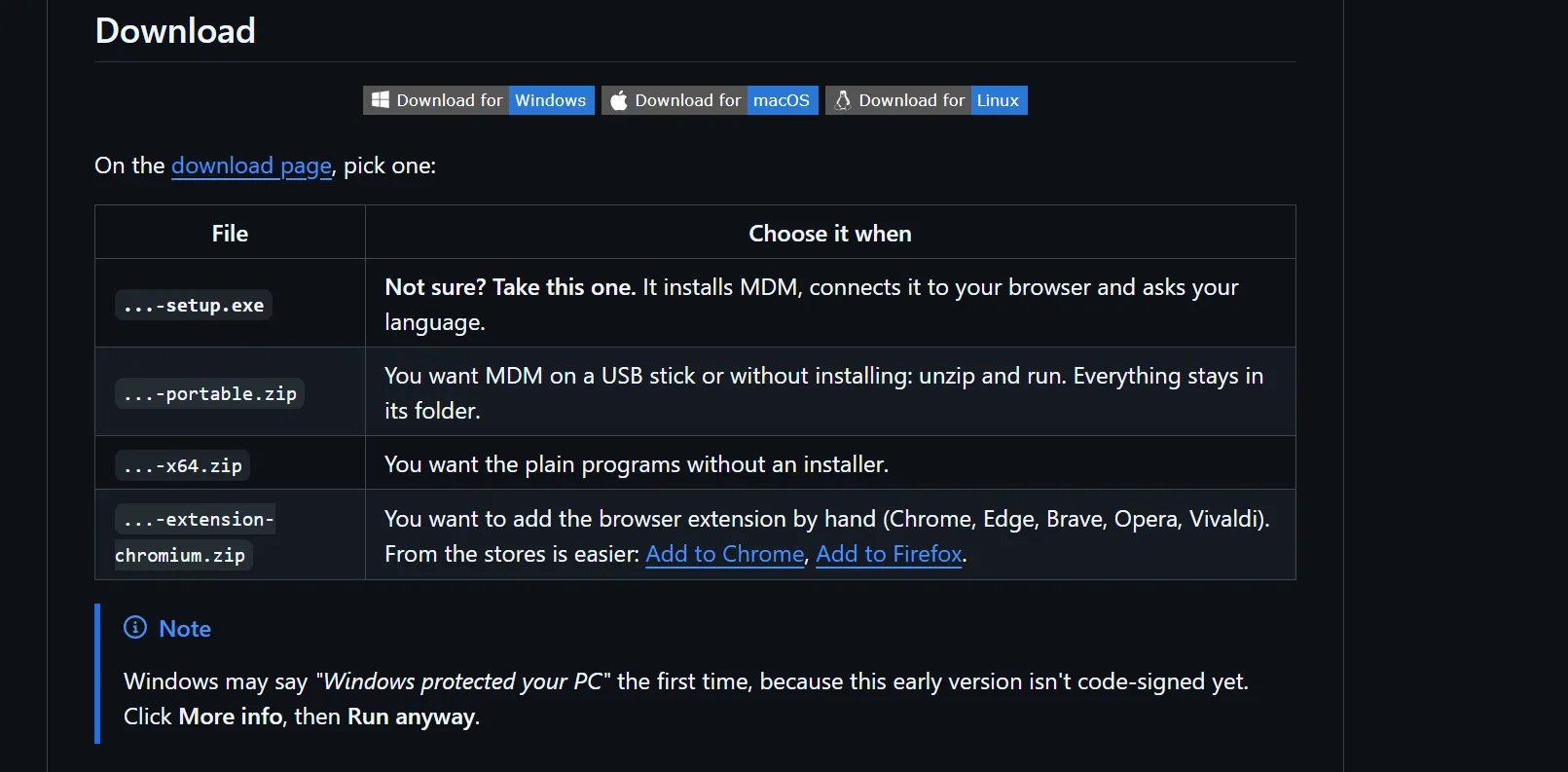
- Open the official releases page on GitHub.
- If you are not sure which file to pick, download the
-setup.exeinstaller. It installs MDM, connects it to your browser and asks for your language. - Prefer no installation? Choose the
-portable.zip, unzip it and run it. - Run the installer. If Windows shows “Windows protected your PC,” click More info and then Run anyway. This happens because the early version is not code-signed yet.
- Choose your language on first launch. You can change it later in View → Language.
macOS and Linux
- macOS: an experimental universal
.dmgfor Apple Silicon and Intel. Drag the app to Applications, then right-click and choose Open the first time. - Linux: experimental
.AppImage,.deb(Ubuntu, Debian, Mint),.rpm(Fedora, openSUSE) and.tar.gzfiles.
The developer says these builds are brand new and had not been tested by the team when published, so treat them as a way to help test rather than as finished software.
How to Add the Browser Extension
The Windows installer includes the browser extension. The project says store versions for Firefox, Chrome, Edge, Brave and Opera have been submitted and are awaiting approval. Until then, you can load the extension manually by following the browser integration guide. Chrome, Edge, Brave, Opera, Vivaldi and Firefox are supported through extension files provided on the releases page.
How to Download Your First File
- Open MDM and click Add URL, then paste the file link.
- Or just click a download link in your browser and let the extension send it to MDM.
- Watch the progress window to see each connection, the live speed and the time left.
- For videos, click the Download video button that appears over the video on the page.
- For overnight downloads, add files to a queue and use the scheduler.
Pros and Cons
Pros
- Completely free, with no ads, trial or account
- Open source, so anyone can inspect the code
- Familiar IDM-style layout
- Torrents, video downloads and a scheduler in one app
- 86 languages and accessibility support
- Works on Windows, macOS and Linux
Cons
- Early preview, so some features may be rough
- Not code-signed yet, so Windows shows a security warning
- macOS and Linux builds are experimental
- Browser extension store approval is still pending, and Firefox is in testing
- A new project with a small community, so fewer tutorials and slower support than established tools
- Speed claims come from the developer’s own tests
Other Free IDM Alternatives
- Free Download Manager (FDM): a popular free download accelerator with browser integration.
- JDownloader: great for file hosts and bulk downloads.
- Xtreme Download Manager (XDM): a free manager with video grabbing.
- qBittorrent: a free and open-source torrent client.
Frequently Asked Questions
Is Mister Download Manager free?
Yes. It is free and open source under the GPL-3.0 license, with no trial, ads or sign-up.
Is MDM the same as IDM?
No. It is an independent program that copies IDM’s familiar way of working, but it is not made by or affiliated with IDM’s developer.
Is Mister Download Manager safe?
The source code is public, which allows anyone to review it. However, it is a new, small project and the Windows build is not code-signed yet, so download only from the official GitHub page and scan the file before running it.
Does it work on Windows 10 and Windows 11?
Yes. The project lists support for both.
Can it download YouTube and other videos?
It can download videos from many web pages using yt-dlp, but you should only download content you are allowed to save.
Does it support torrents?
Yes. It supports magnet links, .torrent files and seeding.
Does it work with Firefox?
Firefox support is still in testing. Chrome, Edge and Brave are the main supported browsers.
Final Thoughts
Mister Download Manager is a promising free alternative for people who want an IDM-style download manager without paying. It already offers resume, a scheduler, video and torrent support on Windows, but it is an early preview, so test it first and keep your important files backed up. If you are looking for more free software to replace paid tools, read our guide to the best free alternatives to paid Windows software, and keep following LoopGuy for more tech guides.
Frequently Asked Questions
Is this guide beginner friendly?
Yes. This tutorial is written step-by-step for beginners.
Does this work in 2026?
Yes. This article is updated regularly with latest changes.
Where can I learn more?
Browse more tutorials on LoopGuy.


Comments (0)
No comments yet. Be the first to comment!
Leave a Comment